Standard Library[lib]
std::println Explained: Formatted Text Output in C++

- Section
- Standard Library [lib]
- Published
- Length
- 13 min read
In this answer11 clauses
- 1What Std::print and Std::println Do
- 1.1What is std in C++?
- 1.2How print and println differ
- 1.3Which header to include and compiler support
- 2What the Function Calls Look Like
- 2.1The different ways to call them
- 2.2How the compiler checks your format string
- 2.3Simple examples you can try now
- 3How to Write Format String Placeholders
- 3.1What goes inside the braces
- 3.2Formatting numbers, strings, and other types
- 3.3Using named arguments in placeholders
- 4How It Compares to Printf and Std::cout
- 4.1What is %f and %d in C?
- 4.2Where std::cout falls short
- 4.3Moving existing code over to println
- 5Other Functions That Format Text
- 5.1Other std::format variants and their uses
- 5.2What happens when formatting fails
- 6Teaching the Formatter About Your Own Types
- 6.1Writing a formatter for your own class
- 6.2Other ways to make types printable
- 7Handling Unicode and Locale Differences
- 7.1UTF-8 output and the Windows console
- 7.2Keeping output independent of locale
- 8Real-world Uses and Common Mistakes
- 8.1Logging, table printing, and type-erased logs
- 8.2Mistakes to avoid when printing
- 9Speed and Whether It Is Thread Safe
- 9.1Benchmarks and design choices behind speed
- 10Extra Fmt Features and Std::format Differences
- 10.1Terminal colors, dynamic args, and chrono formatting
- 10.2How fmt differs from std::format
- 11References
Abstract
std::println is a C++23 function that formats values into text and writes the result to standard output, adding a newline automatically. Its brace placeholders make output easier to read than chained std::cout operations, and literal format strings are checked against argument types at compile time, unlike printf. Include <print> and confirm your compiler and standard library support it; use std::print when you do not want a newline.

Think of a mail-merge template: you write the letter once, mark the blanks, and let the software fill them in. That’s the idea behind std::print and std::println, which format values into text and write it to standard output.
std::println also adds the newline for you.
If you learned C++ on printf or std::cout, these are worth knowing. Whether you can use them depends on your standard and compiler, so we’ll note the version each feature needs as we go.
We’ll cover call signatures, format placeholders, a comparison with printf and std::cout, and common pitfalls. Let’s start with the basics.
What Std::print and Std::println Do
C++23 adds two functions that print formatted text. We’ll cover what they are, how they differ, and what you need to use them.
What is std in C++?
std is short for standard, and std:: is the namespace where the standard library keeps its names.
std::print and std::println are C++23 functions, built on std::format, that print directly to stdout (standard output). They fill the gap std::format leaves, since it builds a string but doesn’t print it.
A game engine programmer tracing a frame loop can write one std:: call instead of a chain of << operators on std::cout. If stream syntax is unfamiliar, start with how to print with cout before rewriting those lines.
How print and println differ
The difference is the newline. std::print adds no newline, so the cursor stays put, while std::println appends one.
Calling std::println() with no arguments prints just a newline.
Is it println or printin? It’s println, not printin. Spell it right, or the compiler won’t know what you mean.
Which header to include and compiler support
Include the <print> header for either function. Support varies by compiler and standard library, and version numbers change with each release, so check your release notes.
| Item | Source | What to know |
|---|---|---|
| std::print, std::println | C++23 standard | Support varies by compiler and library |
<print> |
C++23 standard | The header you include |
| fmt::print | fmt library | Pre-C++23 equivalent |
If your toolchain lacks <print>, use std::format with std::cout: build the string, then send it to std::cout. A firmware developer on an older vendor toolchain can keep their logging working this way.
fmt::print from the fmt library is the pre-C++23 equivalent, for when C++23 isn’t available yet.
What the Function Calls Look Like
Choosing the right call shape comes first, and the compiler’s checks come right after. Here’s both, plus a few examples to try today.
The different ways to call them
Both functions take a format string followed by values, plus a few less common shapes:
- Format string plus arguments:
std::println("{} items queued", count); FILE*overload: pass the stream first:std::println(stderr, "retry {} failed", attempt); - No arguments:
std::println();ends the line. - Stderr or files:
stderrworks, and so does aFILE*fromfopen.
How the compiler checks your format string
The format string is checked at compile time, so a bad one never reaches a test run. Mistakes show up as build errors:
- Wrong specifier:
std::won’t compile, sinceprintln("{:d}", 2.5); dexpects an integer. - Argument count mismatch:
std::won’t build, since a value is missing.println("{} of {}", done);
A firmware developer logs a sensor reading with {:d} but passes a float. The build fails on their desk, not in a field log later. The mistake surfaces at build time instead of run time. The fix takes seconds.
Runtime strings are the exception: if the format string lives in a variable, the compiler can’t check it. Use a runtime wrapper, std::runtime_format (C++26) or a vprint call, or keep the string literal and pass your text to "{}".
Simple examples you can try now
Add #include <print> at the top, then try these:
- Hello World:
std::println("Hello, World!"); - Substituting variables:
std::println("Hello, {}!", name); - Specifiers like
{:.2f}:std::prints the total with two decimal places.println("Total: {:.2f}", total);
How to Write Format String Placeholders
Every std::println call starts with a format string, and its braces do most of the work.
What goes inside the braces
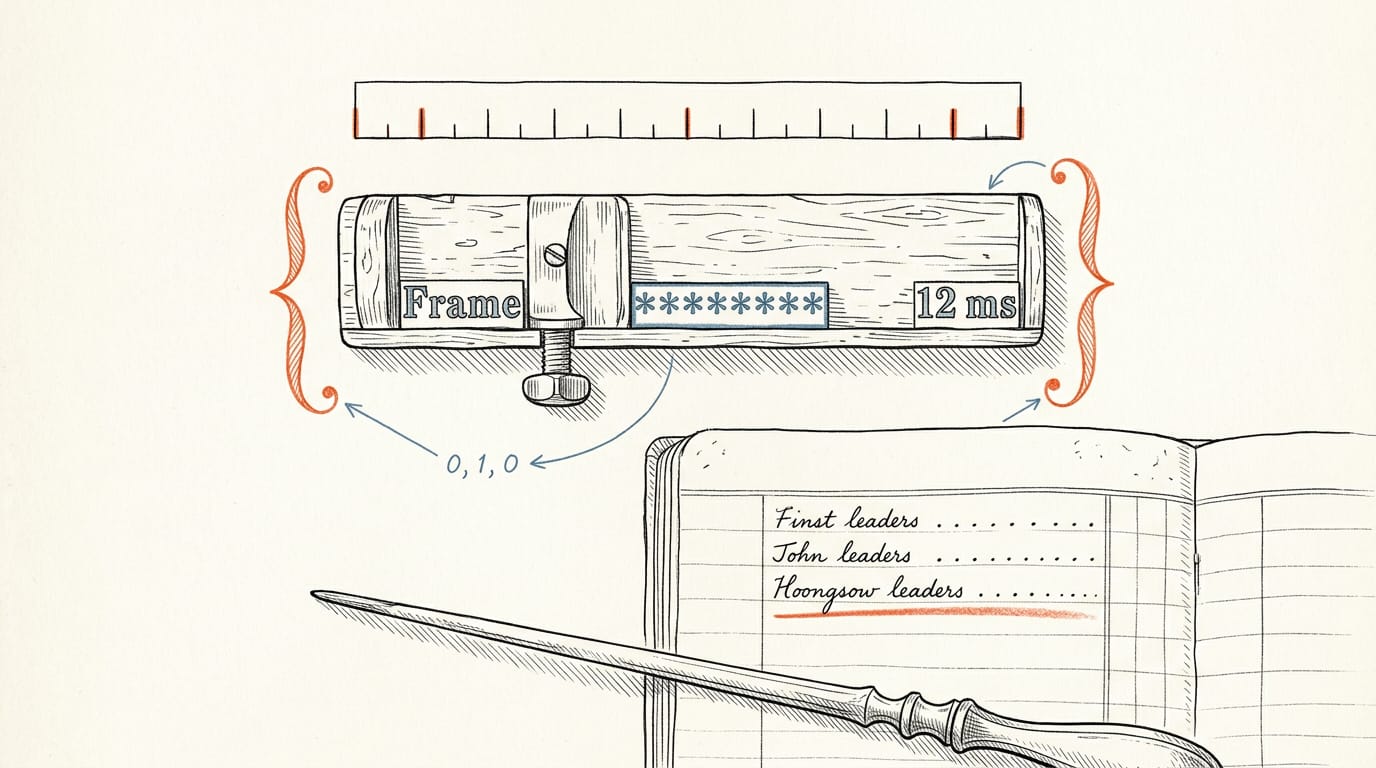
Each replacement field marks where an argument goes, and an empty pair takes the next one in order. After a colon comes the format spec: fill, alignment, width, then precision. So {:*<10} pads with asterisks, aligns left, and reserves ten columns.
It mirrors Python’s str.format, so {:>8} right-aligns in both.
Indexes let you reuse arguments: {0} {1} {0} prints the first, second, then first again. Width can be dynamic: {:{}} takes it from the next argument, so a game engine programmer can pad a frame-timing table to its longest label.
Precision works the same way, as in {:.{}f}.
Formatting numbers, strings, and other types
Integers take b, x, or o for binary, hex, or octal, so {:x} prints 255 as ff. Floats take f, e, or g for fixed, scientific, or general, so {:.2f} turns 3.14159 into 3.14. For strings, precision truncates: {:.3} turns “dependency” into “dep”.
A bool prints as true or false, and {:d} shows 1 or 0. A char prints as itself, while d shows its numeric code.
The {:?} debug specifier prints a form meant for inspection, such as a quoted string. Pointers and ranges arrived with C++26, so confirm your standard library supports them.
Using named arguments in placeholders
Named arguments aren’t part of std::format itself. They come from the open-source {fmt} library through fmt::arg: fmt::.
A reviewer checking an audit log line can match each name to its value at a glance. Named arguments aren’t compile-time checked, so a typo fails at runtime, not in the build. Test that line.
How It Compares to Printf and Std::cout
Most codebases print with printf, std::cout, or both.
What is %f and %d in C?
Format specifiers are the placeholders in a printf format string. %d prints an int as a decimal, and %f prints a double in fixed-point form. printf checks the format you wrote, not the type you pass.
That’s why printf has no type safety. Pass a double to %d and the code still compiles. That mismatch is undefined behavior: the program can print garbage or crash. Nothing stops you.
An embedded firmware developer changes a sensor reading from int to double but leaves its %d log line alone. The logs fill with nonsense.
printf also can’t take a std::string, so you pass name.c_str() instead. It’s still common in legacy and embedded code.
Where std::cout falls short
- Verbose chained operators: every literal and value needs its own
<<, so simple lines sprawl. - Sticky stream state: a setting like
std::setprecisionstays on the stream until you reset it. - Slow virtual dispatch: std::cout uses virtual functions, which can add overhead. According to David Álvarez Rosa, virtual dispatch carries hidden overhead: pointer indirection, larger object layouts, and fewer inlining opportunities.
Moving existing code over to println
| printf | std::cout | std::println | |
|---|---|---|---|
| How you write it | %d, %f |
chained << |
{} placeholders |
| Checks argument types | No | Yes | Yes |
| Takes std::string | No, needs c_str() |
Yes | Yes |
- printf to println: swap the specifiers for
{}and drop the\n, since println adds it.printf("%d items\n", n)becomesstd::.println("{} items", n) - cout to println:
std::becomescout << "x = " << x << '\n'; std::println("x = {}", x); - Avoid std::endl mixing: println already ends the line, so std::endl only adds a flush.
- Migrate with grep-able patterns: find sites with
grep -rn 'printf(' src/andgrep -rn 'cout <<' src/.
Other Functions That Format Text
std::println handles the common case, and the formatting library has siblings for the rest.
Other std::format variants and their uses
They all produce text, but where it goes and how much room it needs is what differs. For example, a firmware developer logging into a fixed 64-byte buffer needs control over both.
- std::format returns a std::string you can store or pass along.
- std::format_to writes to an output iterator, such as a std::back_inserter, so you skip the temporary.
- std::format_to_n writes no more than the limit you give it, and its result reports the full size, so truncation is visible.
- std::formatted_size returns the length the output would need without writing anything.
- std::vformat takes a format string built at runtime plus arguments packed with std::make_format_args, which suits text loaded from a file.
The firmware developer calls std::format_to_n, checks the reported size, and marks a cut-off line instead of overrunning the array.

What happens when formatting fails
Failures come in three kinds, and when each one surfaces decides where you catch it.
- Compile-time errors. A literal format string passed to std::format or std::println is checked by the compiler, so a wrong argument count fails the build.
- Runtime errors. A string built while the program runs, such as one passed to std::vformat, is checked on the spot. A malformed one throws std::format_error.
- Input/output errors. If writing the output fails, the problem arrives as a std::system_error, so look at the destination, not the format string.
Compile-time checks cost nothing at runtime. Runtime failures are yours to handle.
Teaching the Formatter About Your Own Types
Sometimes the type you need to print is your own, and the library has no idea how to show it.
Writing a formatter for your own class
A formatter is a specialization of std::formatter with two members: parse reads any spec after the colon, and format writes the value out. Picture a game engine programmer with a Vec3 struct.
Now every log line can say std::, and a new field needs one edit, not one per log call.
Your parse can also read a letter after the colon, so {:s} and {} print differently. Parse decides what the caller asked for, and format decides how it appears.
Derive from std:: and you’ll inherit its width and precision handling, so callers can write {:.2}, and your format hands each coordinate to the base.
Containers need no extra code once their elements have a formatter, since the library formats a std::vector of your type. For std::expected, write a short formatter that checks has_value() and prints the value or the error.
Other ways to make types printable
Three lighter routes:
- format_as. Add a
format_asfunction beside your type, found by argument-dependent lookup, that returns a value the library already formats. For an enum, returning the underlying type removes the cast at each call site. - ostream_formatter for operator<<. If your type has an
operator<<, derive fromstd::and the library streams it for you. It’s the quickest path for an older class already logging throughostream_formatter std::cout. - Range, tuple, and standard types. Ranges, tuples, pairs, and many standard types format out of the box, so check before you write anything.
Less code, less to review.
Handling Unicode and Locale Differences
Output that looks right on your laptop can come out garbled on a CI server. std::print handles most of that for you, so you only step in when you want something different.
UTF-8 output and the Windows console
std::print writes UTF-8, the encoding that stores text as bytes and handles accented letters and symbols, so the text reaches the screen or log intact.
If the output goes to a Windows console, std::print handles the conversion, so the platform-specific setup older answers recommend isn’t needed.
Consider a game engine programmer printing a player name with an accent: the same call writes it correctly to her Windows console and to a log file on the Linux build server.
Wide strings are the exception to watch. Text held in std::wstring or wchar_t doesn’t follow the same narrow UTF-8 path, so check how it’s encoded before it reaches the console. Narrow text is the easy case.
Keeping output independent of locale
By default, std::print is locale-independent, so it ignores the global locale. A score of 1234567 prints the same way on every machine. That’s consistent output, which suits logs and tests better than a report a person reads.
When a person will read the number, add an L to the replacement field, as in {:L}. In en-US that turns 1234567 into 1,234,567, and the separators follow whatever locale is active. Keep the plain form for anything a script parses.
To pick a locale for one call without touching the global setting, use the overload that takes a std::locale.
Both std::format and the {fmt} library accept one, so a single report can format in one locale while the rest of the program keeps its defaults. Nothing else changes.
Real-world Uses and Common Mistakes
Most everyday uses of std::println fall into a few patterns, and you’ll hit most bugs in a few others.
Logging, table printing, and type-erased logs
One of the first places std::println earns its keep is a logging system. Picture a backend developer whose every request writes one timestamped line. A single call with a fixed format string builds that line, and the newline comes for free.
A table printer is the next step up. Picture a game engine programmer dumping frame timings at the end of a run.
std:: left-aligns names in twelve columns and right-aligns numbers in eight, so you don’t need manual padding.
A type-erased log function hides the argument types behind one signature, so every call site goes through one entry point. The gain is one place to change log behavior.
The cost is that the compiler no longer checks the format string at each call site, so how the wrapper gets its string matters more.

Mistakes to avoid when printing
Watch for these four:
- Runtime string as format. A
std::stringbuilt at runtime, say from a config file, won’t compile. Keep the format a literal and pass changing values as arguments. - printf specifiers in braces.
std::won’t compile. Inside braces, use std::format syntax after a colon, likeprintln("{%d}", count) {:d}, or plain{}. - Forgetting formatter for custom type. A math library’s
Vec3won’t compile until you add astd::formatterspecialization for it. - Extra newline with println.
std::adds a blank line, since println already ends the line. Drop theprintln("done\n") \n, or usestd::printwhen you want no newline.
Three of these stop the build. The newline one is silent.
Speed and Whether It Is Thread Safe
Two questions decide whether std::print belongs in a hot path: how fast it runs, and whether it’s safe to call from several threads. We’ll take speed first.
Benchmarks and design choices behind speed
- Near printf speed. std::print is designed to land close to printf for the same output, giving you a typed interface at little extra cost.
- cout is slow with sync. By default, std::cout stays synchronized with C’s stdio library, and Optimizing Big Data Pattern Search, published in the Proceedings of the 3rd International Conference on Computing Advancements, notes that synchronized iostreams may incur performance overhead compared with unsynchronized ones.
- Compile-time format parsing. The compiler checks the format string, so a mismatched placeholder fails the build rather than printing a broken line in production.
- Per-call thread safety. Each call is safe on its own, so two threads can print without corrupting the stream. A line built from several calls can still interleave with another thread’s output, so build each message in one call.
Consider a CI tool maintainer who logs thousands of status lines per run through std::cout. Swapping those calls for std::println keeps the same output, and a reviewer now reads each log call as one unit instead of a chain of << operators. Measure first.
Interleaving is a question of order, not speed. std::print writes to the same stdout that printf uses, so the two stay in order when you mix them.
Mixing with std::cout needs more care: if you call sync_with_stdio(false) to speed it up, don’t assume its output stays in order with printf output.
Extra Fmt Features and Std::format Differences
fmt adds a few features the standard lacks and differs from std::format in ways that matter. Here’s what to know.
Terminal colors, dynamic args, and chrono formatting
Need colored output? fmt can style text. Pass a text style such as fg(fmt:: as the first argument to fmt::print.
A build engineer can make CI failures stand out this way, without hand-written escape codes. std::print has no equivalent.
Compile-time format strings turn mismatches into build errors, not runtime surprises. A game engine programmer who drops an argument from fmt:: during a refactor gets a build error.
When the argument count isn’t known until runtime, collect values in a dynamic argument store with push_back, then format them with fmt::vformat. A tool that builds a row from a config file’s columns is one case.
fmt::print is a safer printf. printf skips type checks, so handing it a std::string for %d is undefined behavior. fmt checks each argument against its spec, so {:d} on a string fails the build.
fmt also formats std::chrono durations and time points. Include fmt/chrono.h, then write fmt::. The specifiers follow strftime style.
How fmt differs from std::format
The syntax is close, but these differences matter:
- Namespace. fmt lives in the
fmtnamespace, notstd, sofmt::formatandstd::formatcan share a file. - Width. fmt doesn’t use grapheme width when it pads a field, so a padded column of accented or emoji text may not line up.
- Shortest round-trip floats. fmt prints the shortest form of a float that reads back as the same value, so
0.1prints as0.1.
The namespace is cosmetic, but the width and float rules change what lands in your output. Check them before you swap one library for the other.
std::print and std::println give you a clear way to format output alongside printf and std::cout. The placeholders show the shape of your text at a glance, and the values fill in where they belong.
Before you rely on them, confirm the C++ standard and the compiler and library versions your team builds with. That keeps your code true for every machine that compiles it.
Check the version first, then let the formatter do the work.
References
Questions
What is std :: in cpp?
In C++, `std::` identifies the `std` namespace, where names from the standard library are defined. For example, `std::println` is a standard-library function.
How to write "I love you" in C language?
In C, print the phrase with `printf`: `printf("I love you\n");`. Include `<stdio.h>` before using it.
Is it println or printin?
It is `println`, not `printin`. In C++23, `std::print` writes without adding a newline, while `std::println` adds one.