Templates[temp]
Function Inlining Explained: Copies, Costs, and Gains

- Section
- Templates [temp]
- Published
- Length
- 7 min read
In this answer6 clauses
- 1How Function Inlining Works Under the Hood
- 1.1Swapping the call for the function body
- 1.2The inline keyword is only a suggestion
- 1.3Functions that are inlined automatically
- 2Weighing the Gains Against the Costs
- 2.1Where the speed gains actually come from
- 2.2The downsides to watch for
- 3Deciding Which Functions to Inline
- 3.1Functions that are worth inlining
- 3.2Functions you should leave alone
- 4Writing Inline Code in C and C++
- 4.1Keeping definitions visible in headers
- 4.2Making inline work across C and C++
- 4.3How templates and macros compare to inline
- 5A Profiling Case Study in Practice
- 5.1Profiling a vector class with gprof
- 5.2What changed in the profile and speed
- 6References
Abstract
Function inlining replaces a function call with a copy of its body at the call site, while C++’s `inline` keyword mainly permits identical definitions across source files and does not force that replacement. In practice, inlining can reduce call overhead for small, frequently used functions, but may increase code size, harm performance, and complicate debugging or upgrades. Use profiling and before-and-after benchmarks to decide whether it helps, and check compiler output to confirm the optimizer inlined the call.

Picture a recipe that says ‘see the sauce steps on page 40.’ Copying those steps in saves the flipping. Function inlining works the same way: the compiler can place a copy of a function’s body at each call site instead of jumping to it.
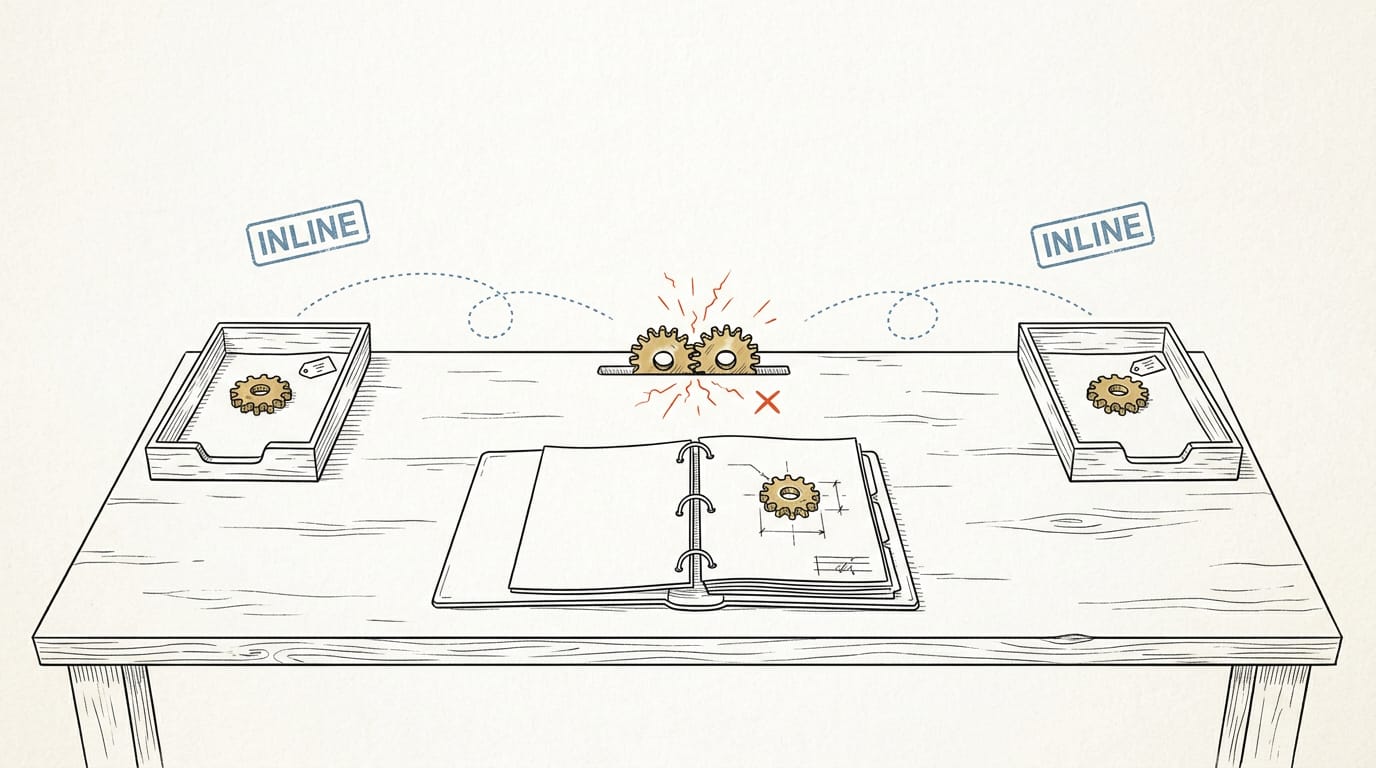
Here’s the catch: the inline keyword is about linkage. It lets a function be defined in several source files without breaking the One Definition Rule (ODR), which requires each entity to have exactly one definition across the program.
The optimizer’s choice to inline a given call is a separate decision.
We’ll pull those two ideas apart, then show you how to check and control inlining, with each answer tied to the C++ standard and compiler it applies to.
How Function Inlining Works Under the Hood
Inlining is the compiler’s decision, so what you write and what runs often don’t match line for line.
Swapping the call for the function body
When the compiler inlines a call, it replaces the call with the function’s body, which removes the call instruction overhead. The cost is size, since the body is duplicated at each call site.
A game engine programmer whose vector-length helper runs millions of times per frame gets its math inside the hot loop with no call overhead, yet a large body copied everywhere would bloat the binary.
The inline keyword is only a suggestion
Writing inline is a request, not a command. The compiler treats it as a hint, may silently decline, and often refuses complex functions with loops, recursion, or many branches.
The keyword’s real meaning is about linkage. The standard’s One Definition Rule (ODR) says an ordinary function gets one definition per program.
An inline function is the exception: each translation unit (source file) may carry an identical copy, so its definition can live in a header. That is the purpose of inline functions in C++. Speed comes from the optimizer’s separate decision.
Functions that are inlined automatically
You don’t always need the keyword. Member functions defined inside a class body are implicitly inline, so a getter like int size() const { return n_; } already has that permission.
Global functions may also be declared inline to put their definition in a header.
A library maintainer who moves a small free function into a header without the keyword gets multiple-definition linker errors once two .cpp files include it. The keyword grants a permission, not a promise.
Weighing the Gains Against the Costs
Inlining is a trade, not a free upgrade. Before you lean on it, know where the speed comes from and what it costs you.
Where the speed gains actually come from
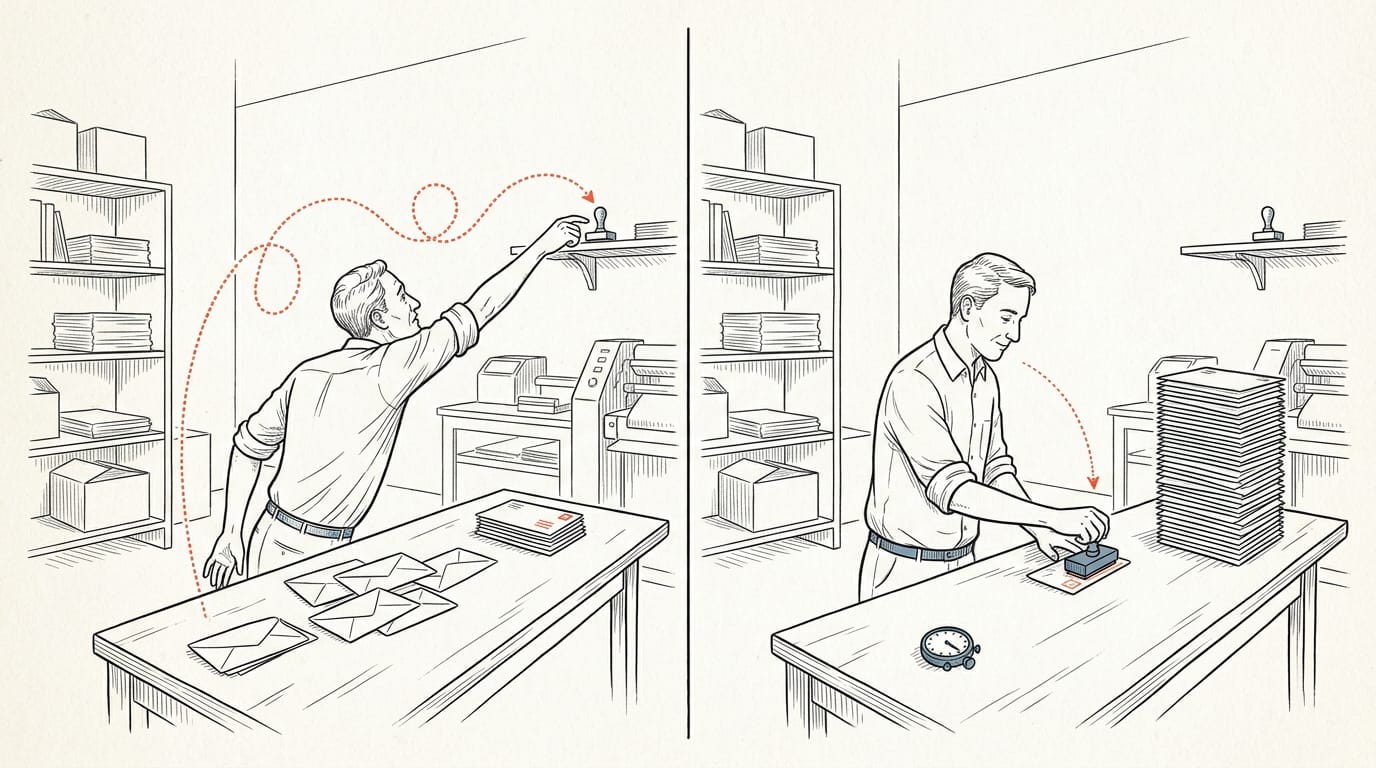
Inlining trades call overhead for code size. A normal call means setting up arguments, jumping to the function, and returning, and an inlined function skips that by placing its body directly at the call site.
The saving matters most for small, hot functions, such as the tiny accessor a game engine programmer calls for every particle in a loop that runs each frame. Once the optimiser inlines it, the loop does the arithmetic in place. One call saves very little.
The gain is visible over many calls, and it only arrives when the compiler’s optimiser chooses to inline, so it depends on optimisation being enabled.
The downsides to watch for
Every gain has a price. Check for these costs:
- Code bloat. Copying a body into every call site makes the binary larger.
- More paging, fewer cache hits. Bigger code spreads across more memory pages and can push instructions out of the cache, so a speedup can turn into a slowdown.
- Harder debugging. Inlined code has no separate call frame, so a stack trace may skip the function you wrote.
- Complicates binary upgrades. Consider a library maintainer who fixes a bug in an inline function: customers’ binaries keep the old body until they rebuild.
- LTO and cross-TU inlining. Link-time optimisation (LTO) lets the compiler inline across translation units, the separate .cpp files that make up a program. It finds gains a single file can’t see, but one changed file can now affect code in many others.
Deciding Which Functions to Inline
Inlining replaces a call with a copy of the function’s body at each call site, so whether it helps depends on the function.
Functions that are worth inlining
Inlining pays off when call overhead is a real share of the work. It’s less about how a function is written and more about how often it runs. Look for these traits:
- Small, frequently called functions. A tiny helper in a hot loop gives the optimizer the most to gain.
- One- to three-line math functions. Short arithmetic, like a dot product or a clamp, can shrink to a few instructions that the optimizer folds into its caller.
- Functions high in profiler output. Consider a backend developer whose profiler puts a small string-hashing helper at the top of the list, called on every request. Rebuild with optimization on and check whether that hot spot shrinks. Measure before you keep it.
Functions you should leave alone
Some functions gain little or even lose from inlining:
- Loops and recursion. A function with a big loop copied into every caller bloats the code, and a recursive call can’t be expanded forever, so the speedup is usually small.
- Virtual function calls. The function to run is picked at runtime from a vtable (a per-class table of function pointers), so the compiler usually can’t know which body to copy in.
- Large functions. Each call site gets its own copy of the body, which grows the binary and can push hot code out of the CPU’s instruction cache.
- Templates inlined just for headers. Templates can already live in headers, so adding
inlineonly to get one there changes nothing about placement. The keyword is about linkage, not a request for speed.
Writing Inline Code in C and C++
Most inline code lives in headers, so placement decides whether every includer links.
Keeping definitions visible in headers
The One Definition Rule (ODR) requires one definition per function. inline relaxes that for identical copies: permission to define a function in many files, not an order to inline it.
A game engine programmer’s Vec3 dot product lives in a header every physics file includes, so marking it inline clears the duplicate-definition link errors.
- Definition visible at call site. Inlining needs the body in the same file, barring link-time optimization.
- Move implementation into header. Put the body there, marked
inline. - Mark prototype and implementation inline. Both can carry the keyword.
- Use .inl file included in header. Put bodies in
vec3.inland include it fromvec3.h. - C++17 inline variables.
inline constexpr double kPi = 3.14159;in a header gives one shared definition.
Making inline work across C and C++
Older C compilers reject bare inline, so wrap it in a macro guarded by __cplusplus:
#ifdef __cplusplus
#define MY_INLINE inline
#else
#define MY_INLINE
#endif
— end example]
Only C++ compilers define __cplusplus, so C++ keeps inline and C gets nothing.
How templates and macros compare to inline
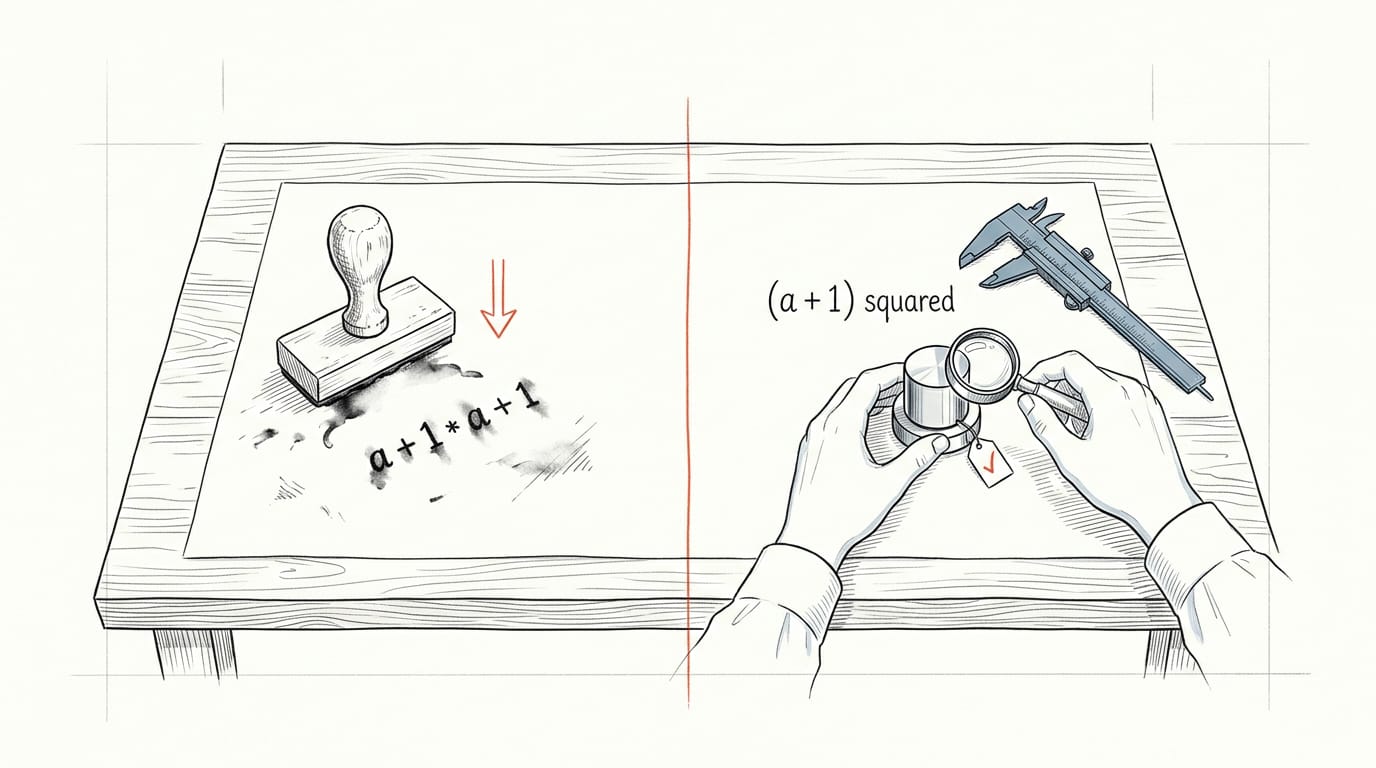
A macro is text the preprocessor pastes in before type checking, while an inline function is a real function the compiler checks. #define SQUARE(x) x * x turns SQUARE(a + 1) into a + 1 * a + 1, which an inline function avoids.
- Templates need not be inline. They’re ODR-safe on their own, but whether they’re inlined is still the optimizer’s call.
- Prefer inlines to #defines. They give you types, scope, and one evaluation per argument.
- Header dependency implications. Editing a header body recompiles every includer.
Forcing or forbidding inlining is compiler-specific. The GNU Compiler Collection (GCC) and Clang accept always_inline and noinline, while Microsoft’s Visual C++ (MSVC) uses __forceinline and __declspec(noinline). None is standard C++.
A Profiling Case Study in Practice
A profile tells you what the compiler actually did, which beats any rule of thumb. Here’s a case where a small vector class sat at the top of the hot path, and what changed once inlining entered the picture.
Profiling a vector class with gprof
Start with the measurement. The gprof profiler showed that the operators of this vector class consumed 25% of the program’s runtime. Those operators were called roughly 100 billion times, so even a tiny cost per call added up fast.
Picture a simulation developer wondering whether the call itself is the problem. They add inline to those operators’ prototypes, then profile again.
Inline on a prototype is a request, not a guarantee, so the new profile confirms whether the compiler honored it. Trust the profile, not the keyword.
What changed in the profile and speed
The operator functions vanished from the profile because the compiler folded their bodies into their callers. The benchmark quantified the gain: a 1.87x speedup, measured before and after the change.
Run your own before-and-after benchmark on the same inputs and machine so the comparison holds.
Published work points the same way. A case study on GNU GCC in Selective search of inlining vectors for program optimization reports a before-and-after benchmark where inlining improved performance.
Don’t stop at the profile. Check the assembly or compiler reports to confirm the call is really gone. The profile shows where the time went; the benchmark shows how much you got back.
The inline keyword governs linkage, and the optimizer makes its own call. Keep those two separate and most inlining questions in review get simpler.
Inlining is a trade. It can cut call overhead and open the door to further optimization, but it also grows the binary and can slow code down. Let the standard and your compiler define what’s allowed, and let a measured profile decide what’s worth it.
Know what the keyword promises, know what the optimizer decides, and let the profile have the final say.
References
Questions
What is the difference between inline and macro?
An inline function is a type-checked function that the compiler may expand at a call site; a macro is preprocessor text substitution performed before compilation. Inline functions follow normal scope and type rules and evaluate each argument once, while macros can have unexpected precedence or evaluate arguments multiple times.
What is the purpose of inline functions in C++?
In C++, `inline` allows the same function definition to appear in multiple translation units, commonly by defining it in a header, without violating the One Definition Rule. It does not force the compiler to replace calls with the function body; the optimizer decides whether to do that.
What are four types of functions in C?
C functions are commonly grouped into four types by whether they take arguments and return a value: no arguments and no return value, arguments and no return value, no arguments and a return value, and arguments and a return value.
How to write "I love you" in C language?
Use `printf` to print the phrase: `printf("I love you\n");`. Include `<stdio.h>` and place the statement inside a function such as `main`.
How to continue a line in C?
For a preprocessor directive or macro definition, place a backslash (`\`) immediately before the newline to continue it onto the next physical line. In ordinary C code, statements can span lines without a special continuation character, as long as the syntax remains valid.
Why is int main() used in C?
`int main()` declares the program's entry-point function with an integer return type. Returning an integer lets the program report a status to the operating system; `return 0;` conventionally indicates success.
Which are 32 keywords in C?
The 32 keywords in classic ANSI C (C89) are: `auto`, `break`, `case`, `char`, `const`, `continue`, `default`, `do`, `double`, `else`, `enum`, `extern`, `float`, `for`, `goto`, `if`, `int`, `long`, `register`, `return`, `short`, `signed`, `sizeof`, `static`, `struct`, `switch`, `typedef`, `union`, `unsigned`, `void`, `volatile`, and `while`. Later C standards added more keywords.