Tooling[tools]
Compile a C Program Using GCC: Step-by-Step Guide

- Section
- Tooling [tools]
- Published
- Length
- 9 min read
In this answer6 clauses
- 1GCC Basics for Compiling a C Program
- 1.1What GCC is and its compiler names
- 1.2Common file types and their extensions
- 2Compiling One C Program on Its Own
- 2.1Basic command and how output gets named
- 2.2Walk through a Hello World example
- 3How Source Code Becomes a Program
- 3.1The four stages from source to executable
- 3.2Stopping the build at one stage
- 4Flags That Change How GCC Behaves
- 4.1Debug, warn, and optimize your build
- 4.2Telling GCC where headers and libraries live
- 4.3Options for particular systems and tools
- 5Building Several Source Files Together
- 5.1Compile every file in one command
- 5.2Compile each file, then link them
- 6Choosing Between Static and Dynamic Libraries
- 6.1How static and dynamic libraries differ
- 6.2Build and link dynamic libraries
- 6.3Create a static library and link it
- 6.4A complete library example, start to finish
Abstract
GCC is a compiler tool that turns C source files into programs your computer can run, usually with a command such as `gcc hello.c -o hello`. It preprocesses, compiles, assembles, and links code, while flags let you choose standards, warnings, debugging, optimization, and where headers or libraries are found. For larger projects, compile files into object files and link them together, using a Makefile or CMake to rebuild only what changed; understanding these steps makes build errors easier to diagnose.
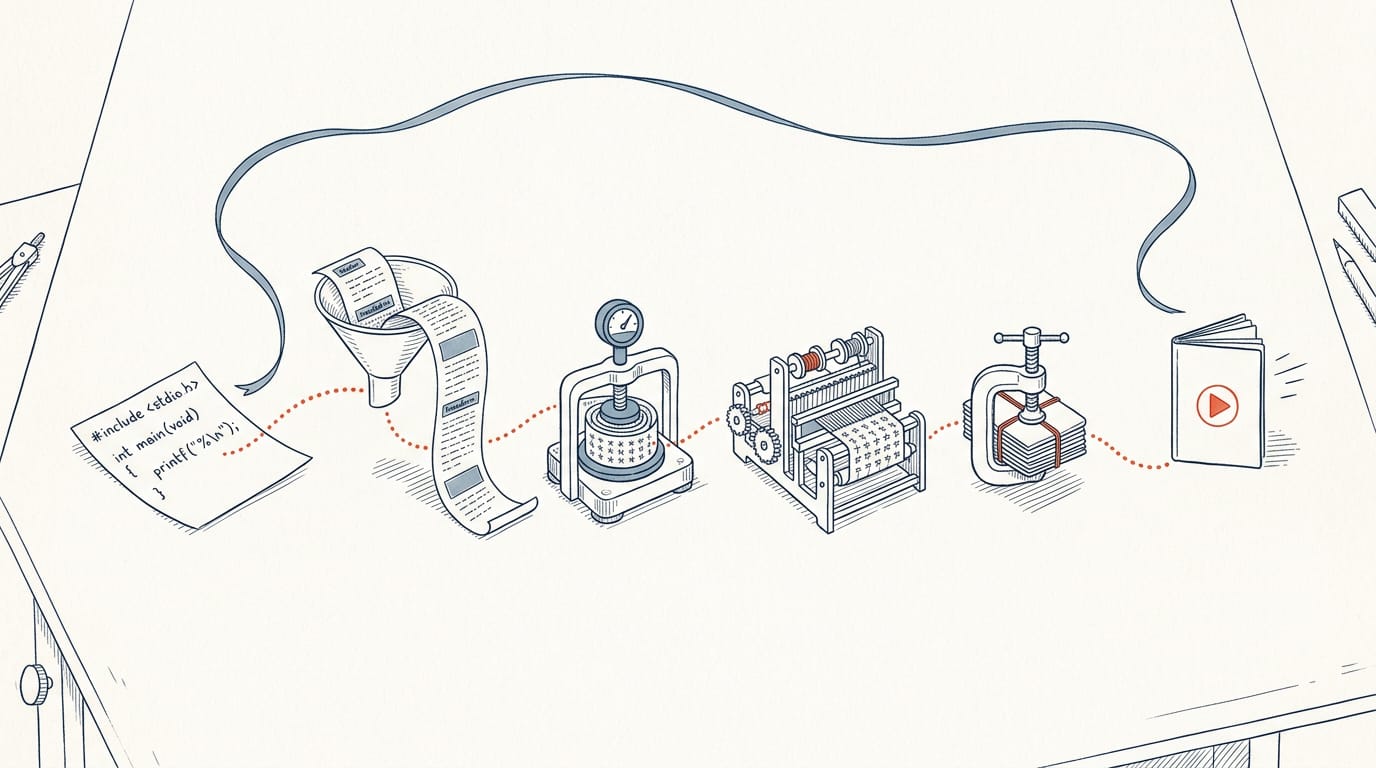
Ever typed a tiny C program, run one command, and watched it come alive? That’s the moment compiling clicks.
The GNU Compiler Collection (GCC) turns your source file into a runnable program, but the steps behind that single command are where most confusion starts.
In this post, we’ll walk through the first command, the pipeline GCC runs under the hood, the flags that change its behavior, and how to build several files and link libraries.
Along the way, we’ll point out where C and C++ differ, since many of us work on both.
GCC Basics for Compiling a C Program
Before you type a command, it helps to know which compiler answers to which name, and what each file on disk is.
What GCC is and its compiler names
GNU Compiler Collection (GCC) is the suite behind the gcc and g++ commands. Use gcc for C and g++ for C++. Most Linux systems ship with it preinstalled, and cc is usually a symlink, a shortcut, to gcc.
A name doesn’t always tell you which compiler is running. On some older Unix systems, cc and CC belong to Sun’s compilers. Same name, different compiler. Run cc --version before you assume GCC. On macOS, gcc usually runs Clang instead.
Is GCC the same as MinGW? Not quite. MinGW is GCC ported to Windows: the same compiler family, aimed at a different platform, and it produces .exe files instead of extensionless Unix executables.
One rule keeps C++ builds honest: compile C with gcc, but link C++ with g++. Think of a C++ developer whose team keeps a small C parser in the same repo. Their link step calls gcc for a C++ target and fails with errors about C++ symbols.
Switching that one command to g++ fixes it, and the rest of the build stays put.
Common file types and their extensions
The pipeline leaves a trail of files, and here’s what each one is:
- .c: C source you write.
- .i: preprocessed source, with macros and includes already expanded.
- .s: assembly code the compiler produces.
- .o: object file, compiled machine code not yet linked into a program.
- .so: shared library, loaded while the program runs.
- .a: static library, linked in at build time.
- a.out: the default executable name when you skip
-o. - No extension: Unix executables have none, so you run
./hello, nothello.exe.
Compiling One C Program on Its Own
Before you add a C file to a larger build, compile it alone to see exactly what comes out. Here’s how, using gcc, the GNU Compiler Collection’s C compiler.
Basic command and how output gets named
Give gcc a single source file and it compiles and links that file into an executable, a program your system can run directly. The simplest form is gcc prog.c.
Picture a C++ developer whose team keeps a small C parsing library beside its C++ code. Before wiring it into the main build, they compile parser.c alone. Any error points at one short file, not a sprawling build log.
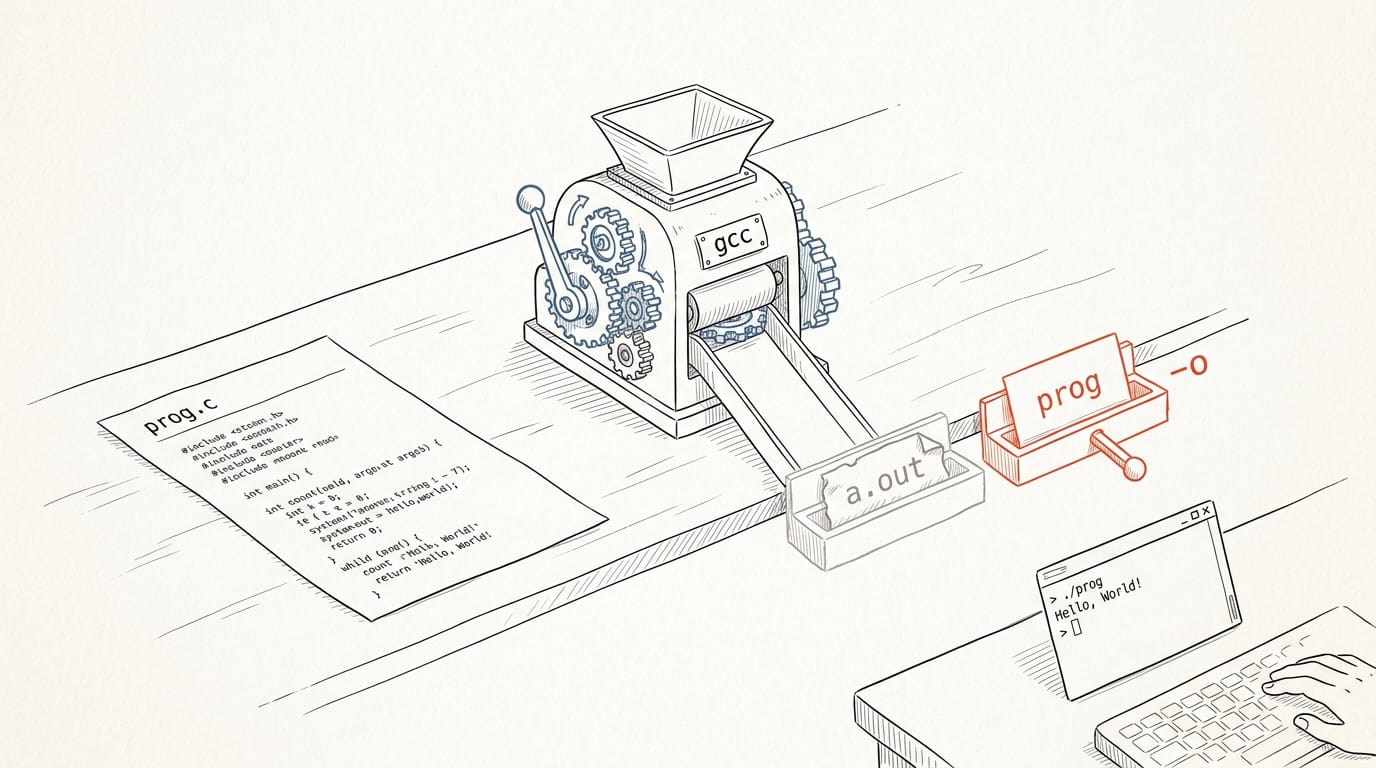
With no other flags, the executable lands in a.out, the default name. Use -o to choose your own:
gcc prog.cwrites the executable toa.out.gcc prog.c -o progwrites it toproginstead../progruns it. The./tells the shell to look in the current directory.
The -o flag changes only the name of the output, not what the compiler does with your code. That’s the whole cycle: compile, then run.
Walk through a Hello World example
Create helloworld.c and paste in this program:
#include <stdio.h>

int main(void)
{
    printf("Hello, World!\n");
    return 0;
}
— end example]
The #include <stdio.h> line brings in the standard input/output header, which declares printf. Compile it with -o to name the result:
gcc helloworld.c -o helloworld
Run it with ./helloworld.
You should see Hello, World! in your terminal. That’s your check: if the text appears, both the compile and the run worked. If gcc reports an error, fix the line it names and compile again.
How Source Code Becomes a Program
Before you type a gcc command, it helps to know what runs behind it. Each step leaves behind something you can inspect.
The four stages from source to executable
When you compile a .c file, gcc works through four stages, and each stage feeds the next:
- Preprocessing handles lines that start with
#, such as#includeand#define, and produces a.ifile. The compiler works from expanded text, not the file you typed. - Compilation translates that text into assembly and saves it as a
.sfile. - Assembly turns the assembly into machine code inside an object file ending in
.o. - Linking combines one or more object files with the libraries they call into a single executable.
By default, gcc deletes the .i, .s, and .o files it makes along the way, so you only see the executable.
Stopping the build at one stage
Each stage has a flag that stops gcc early:
-Estops after preprocessing, so you can read the fully expanded code.-Sstops after compilation and leaves the assembly in a.sfile.-cstops after assembly and leaves an object file, so you can build each file in a multi-file project on its own.- Linking from object files: give gcc
.ofiles with none of those flags, and it skips straight to linking them into an executable.
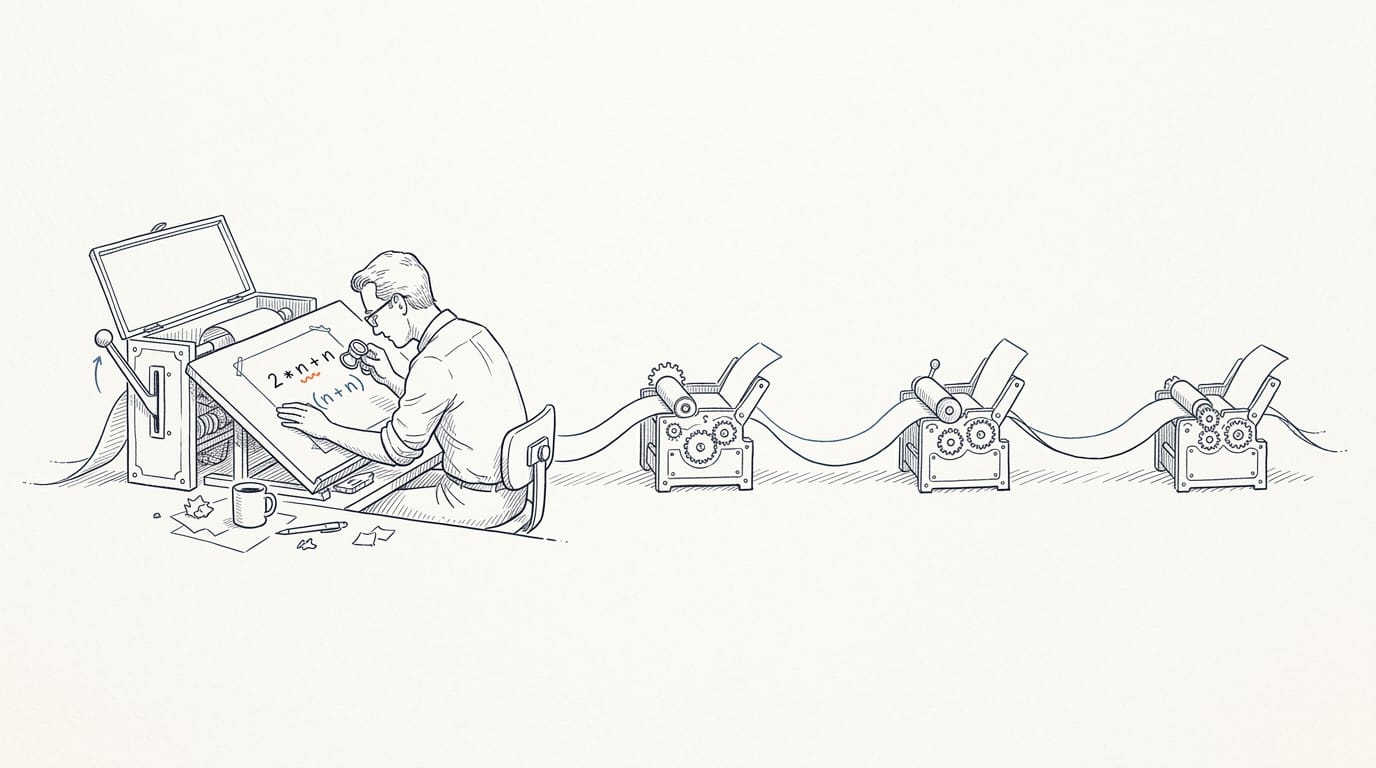
Think of a C++ developer on a team with a C parsing library. A call site returns a wrong value, and the header macro looks harmless until she runs gcc -E on the file. The expanded text shows an unparenthesized macro argument causing a precedence bug.
One pair of parentheses fixes it, and the expanded output proves it to the reviewer. Stop early, and the bug shows itself.
Flags That Change How GCC Behaves
Flags turn a plain compile into the build you want. Pin the standard with -std=, such as -std=c17 for C or -std=c++20 for C++, so the build doesn’t shift when the compiler does.
Debug, warn, and optimize your build
- -g adds debugging information for gdb, the GNU debugger.
- -Wall enables common warnings. Fix what it reports rather than silencing it.
- -O sets the optimization level:
-O0while debugging,-O2for release. - Retest after optimizing. Optimization changes how code runs, not what it’s meant to do, so rerun your tests on the optimized build.
- -fsanitize=address,undefined catches memory errors and undefined behavior during testing. Leave it out of release builds, since it slows programs down.
Telling GCC where headers and libraries live
- -I adds a directory to the header search path.
- -L adds a directory the linker searches for libraries.
- -l names a library to link, so
-lfoolinkslibfoo. - -lm links the math library that functions like
sqrtneed.
A C++ developer linking a C parser passes -Iinclude for headers, -Lbuild/lib for the library, and -lparser to link it. Forget -lm when calling sqrt, and the link step can fail. Add the flags, and the build goes green.
Options for particular systems and tools
- Solaris -mv8 and CC -fast:
-mv8is a SPARC processor option, and-fastbelongs to Sun’s CC compiler, not GCC. Flags don’t travel between compilers. - -lX11 links the X11 library for graphics programs on the X Window System.
- -lefence links Electric Fence, a memory debugger that helps catch out-of-bounds memory access.
- -static, -shared, and -fPIC:
-staticlinks libraries into the executable,-sharedbuilds a shared library, and-fPICmakes code position-independent, which shared libraries need.
Building Several Source Files Together
Most real programs span several files, and retyping one long command gets old fast. The fix is a setup that rebuilds only what changed.
Compile every file in one command
List each source file after gcc, and it compiles and links them into one program:
gcc main.c parser.c network.c -o app
— end example]
Or use a wildcard: gcc *.c -o app. For C, use gcc, not g++, because g++ treats .c files as C++.
Every file is rebuilt on each run, even when you changed just one.
Compile each file, then link them
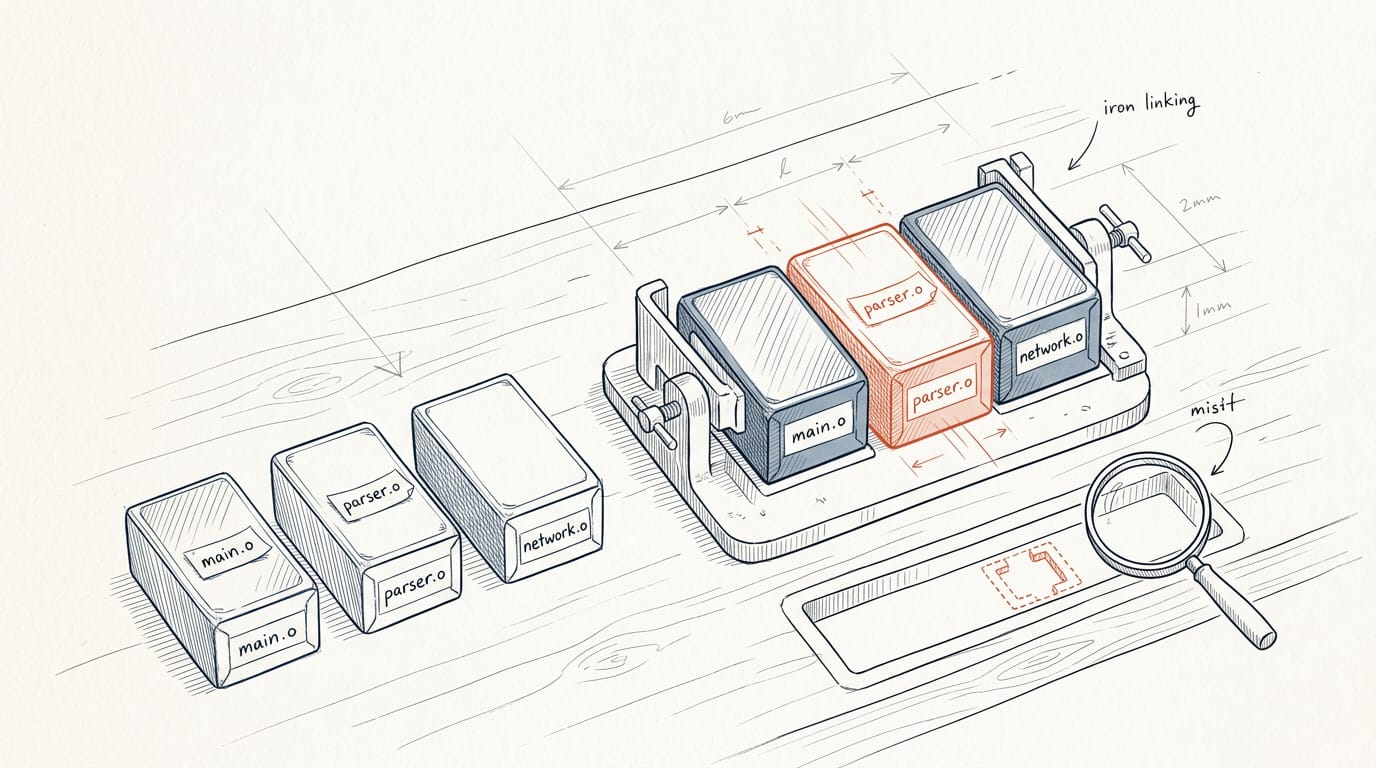
A better approach has two stages. The -c flag compiles each source file into an object file: a .o file holding that file’s compiled code.
gcc -c main.c parser.c network.c
— end example]
Then the linker, which gcc calls at the end, joins the object files into the program:
gcc main.o parser.o network.o -o app
— end example]
Edit only parser.c and you’ll recompile just that file and relink. The other object files are reused.
Typing those steps by hand gets old. A Makefile lists each file’s inputs and commands, and the make tool reruns only what changed.
Picture a firmware developer with forty source files who edits one driver: make rebuilds just that object and relinks, not all forty.
CMake replaces hand-written Makefiles: you describe the project in a short CMakeLists.txt, and it generates the build files.
If the linker reports undefined reference to 'parse_line', it found a call to that function but no object file or library defines it. Check these:
- Is the file that defines
parse_lineon the link line? - Does its name match the header exactly? C has no overloading, so even one typo breaks the link.
- Does each
-llibrary come after the objects that use it, as ingcc main.o -lm -o app?
Choosing Between Static and Dynamic Libraries
Before you split code into a library, decide how it reaches your program.
How static and dynamic libraries differ
A static library (libname.a) is copied into each program that links it. A dynamic library (libname.so) stays a separate file loaded at run time. The real difference is when the code joins your program.
| Static library | Dynamic library | |
|---|---|---|
| Resource usage and size | Copied into every binary | One shared copy in memory |
| Scalability and updates | Relink every program | Swap the .so, no relink needed |
| Runtime dependency | None, it’s self-contained | The .so must be present |
| Loading speed | No work at startup | The loader resolves symbols on startup |
Choose static for a self-contained file, dynamic for shared code. Neither is always right.
Build and link dynamic libraries
Compile with -fPIC (position-independent code) and -shared:
gcc -fPIC -shared -o libtest.so test.c
— end example]
Link with -L. for the current directory and -ltest for libtest.so:
gcc main.c -L. -ltest -o main.out
— end example]
LD_LIBRARY_PATH=. ./main.out helps during testing, but it’s a crutch for shipped software. For system-wide installs, list the directory in /etc/ld.so.conf and run ldconfig to refresh the loader’s cache.
Create a static library and link it
Compile sources to an object file with -c, then bundle them into an archive with ar:
gcc -c add.c sub.c
ar rcs libmath.a add.o sub.o
— end example]
In rcs:
rinsertsccreatessindexes
Link with -L for the directory and -l for the name:
gcc main.c -L. -lmath -o main.out
— end example]
An archive is less about running code and more about linking it. For C++ callers, wrap the declarations in extern "C" { } to give them C linkage, so the C++ compiler looks for plain names like add. Without it, you’ll get undefined reference errors.
A complete library example, start to finish
A C++ developer with an older C math helper needs add and sub in a new service. Here’s how we build it.
- add.c and sub.c define the two functions.
- math.h declares both, with
extern "C"inside an#ifdef __cplusplusguard. - main.c includes
"math.h", calls both functions, and prints the results. Quotes search the local directory first, so your header beats the system one.
gcc -c add.c sub.c
ar rcs libmath.a add.o sub.o
gcc main.c -L. -lmath -o math.out
./math.out
— end example]
Running math.out prints both results with no separate library to ship. Later, build libmath.so with -fPIC -shared, and main.c stays untouched.
Compiling a C program comes down to a few steps you can see and control. Once you know what GCC does at each stage, the flags stop looking like magic and start looking like choices.
Whether you’re chasing a failed build or reviewing a teammate’s change, keep the standard and the toolchain in view, and you’ll explain the result instead of guessing at it.
Know the pipeline, and the build stops being a mystery.
Questions
What is the GCC C compiler?
GCC, the GNU Compiler Collection, is a suite of compilers that includes the C compiler invoked with the `gcc` command. It translates C source code into an executable through preprocessing, compilation, assembly, and linking.
What is a GCC command?
A GCC command is a terminal command that runs GCC to compile or build a program. For example, `gcc prog.c -o prog` compiles `prog.c` and names the resulting executable `prog`.
How do I run my C code?
Save your program in a `.c` file, then compile it in a terminal with `gcc filename.c -o program`. Run the executable from the current directory with `./program` on Unix-like systems; on Windows, run the generated `.exe` file.
Is GCC the same as MinGW?
No. GCC is a compiler collection, while MinGW is a Windows toolchain that provides a port of GCC for Windows. They belong to the same compiler family, but MinGW targets Windows and produces `.exe` programs.