Tooling[tools]
What does a compiler do? C++ source to program

- Section
- Tooling [tools]
- Standard
- C++17
- Compilers
- MSVC 19.44, Clang 19.1 (MSVC STL), GCC 16.2, Clang 23.1 (libc++)
- Published
- Length
- 7 min read
In this answer8 clauses
- 1How does a compiler work, step by step?
- 2What is an object file, and what does the linker do?
- 3What is the difference between a compile error, a linker error and a runtime error?
- 3.1Compile error: a name that was never declared
- 3.2Linker error: a function declared but never defined
- 3.3Runtime error: an index past the end
- 4Compile time vs runtime
- 5Compiler vs interpreter: what is the difference?
- 6Which compilers are used for C++?
- 7What does optimization (-O2) mean?
- 8The commands, stage by stage
Abstract
A compiler is a program that translates source code, the text you write, into machine code a processor runs. For C++ it works in four stages: preprocessing pastes in the included headers, compiling checks the code and translates it to assembly, assembling turns that into an object file, and linking joins the object files and libraries into a program. Broken code stops the compiler, a missing piece stops the linker, and a runtime error happens only once the program runs.
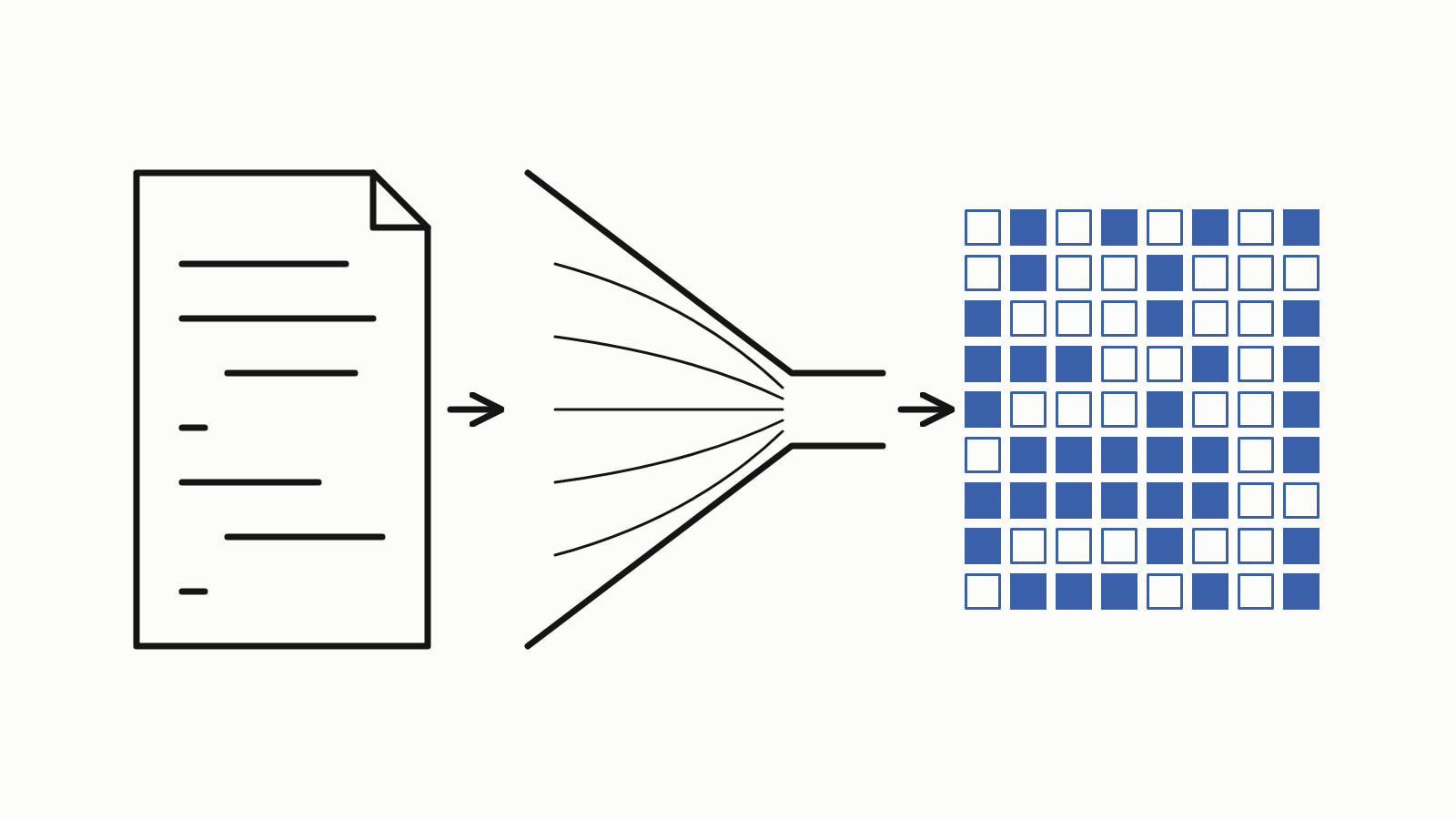
A compiler is a program that translates source code, the text you write, into machine code, the instructions a processor runs. A C++ compiler pastes in the headers your file includes, checks the code and turns each source file into an object file of machine code; a linker, a separate tool, joins them into a program you can run.
The ten lines this page builds, hello.cpp:
#include <iostream>

int add(int a, int b) {
    return a + b;
}

int main() {
    int sum = add(2, 3);
    std::cout << "2 + 3 = " << sum << '\n';
}
— end example]
One command compiles and links it, -o naming the program it writes, and the next runs that program (> is the prompt, not part of the command):
> clang++ hello.cpp -o hello.exe
> .\hello.exe
2 + 3 = 5
— end example]
The program is standard C++17, and it printed the same line built with MSVC 19.44, Clang 19.1 (MSVC STL), GCC 16.2 and Clang 23.1 (libc++); Since When lists the compiler releases that support each standard. The stage-by-stage commands below were run on 64-bit Windows with Clang 19.1 and MSVC 19.44.
How does a compiler work, step by step?
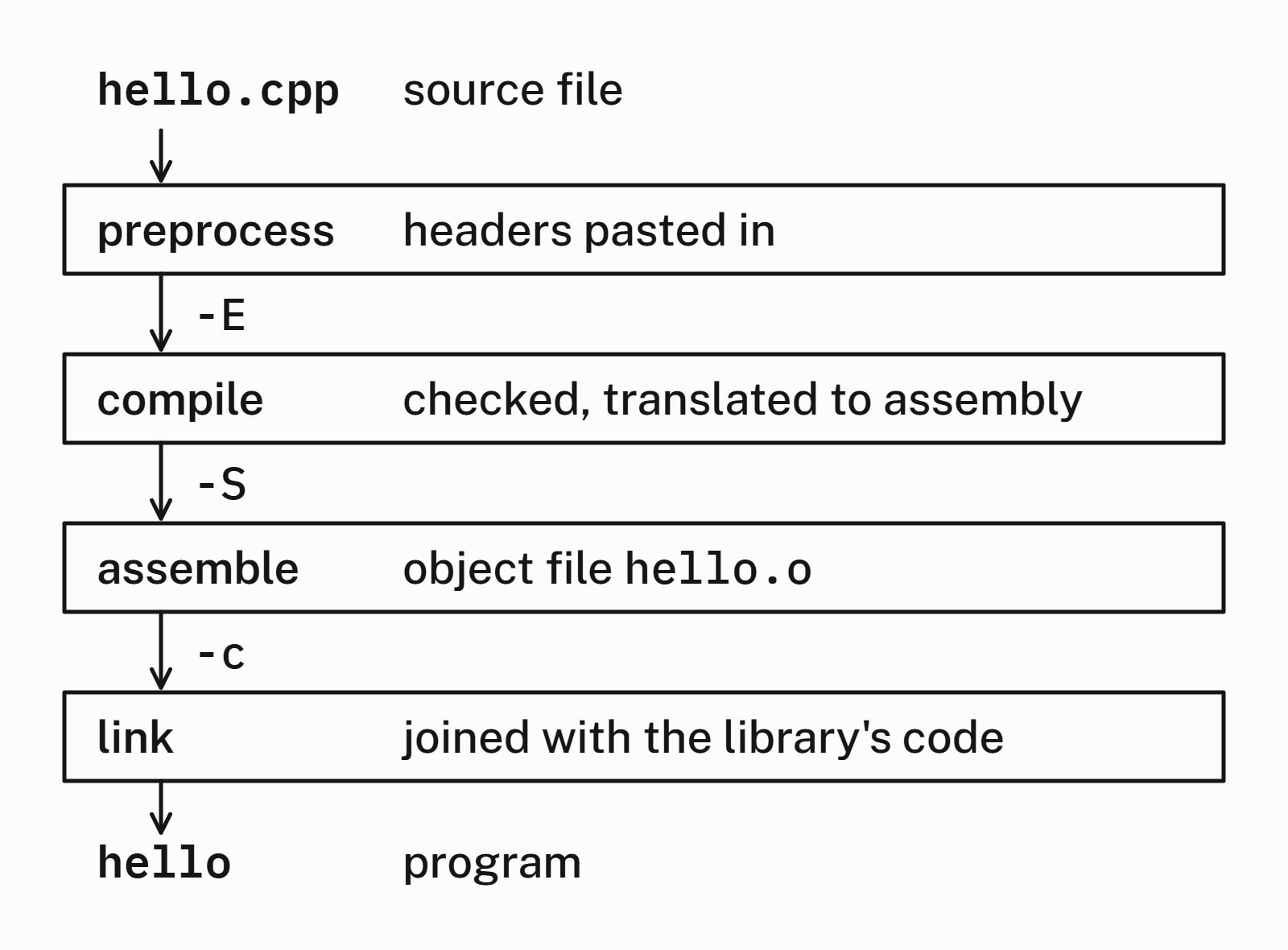
A C++ compiler works in four stages, always in this order (GCC’s manual names the same four), and an option stops it after each of the first three:
- Preprocess: each
#includeline is replaced by the text of the header it names, a file of declarations such as the standard library’s<iostream>.clang++ -Estops here: with Microsoft’s library headers, the ten-line file became 41,532 lines, the program’s own lines at the end. - Compile: the code is checked against the language’s rules and translated to assembly, a text form of the processor’s instructions.
clang++ -Sstops here and writeshello.s. - Assemble: the assembly becomes machine code in an object file,
hello.o(hello.objwith MSVC).clang++ -cstops here. An object file is not a program: asked to run it, Git Bash refused withcannot execute binary file: Exec format error. - Link: the linker joins the object file with the standard library’s code into the program.
clang++ hello.o -o hello.exewrote it.
hello.s is plain text; these four lines are from add, and the last one is the addition:
	movl	%edx, 4(%rsp)
	movl	%ecx, (%rsp)
	movl	(%rsp), %eax
	addl	4(%rsp), %eax
— end example]
What is an object file, and what does the linker do?
An object file holds the machine code for one source file, with gaps wherever the code uses something defined elsewhere, in another source file or a library. The linker joins the object files and libraries into one program and fills each gap (GNU ld’s overview). With MSVC, compiling and linking can be two commands: cl /c /EHsc hello.cpp (/EHsc turns on C++ exception handling) wrote hello.obj and no program, then link hello.obj wrote hello.exe.
Each source file is compiled alone, into its own object file, and only the linker sees them all. The standard’s phases of translation, [lex.phases], say the same: each translation unit, a source file with its headers pasted in, is translated on its own, then “Translated translation units are combined, and all external entity references are resolved.”
So a function defined (with its body) in one file is declared (its first line alone) in every file that calls it, usually through a C++ header file.
What is the difference between a compile error, a linker error and a runtime error?
They happen at three different moments. A compile error is code that breaks the language’s rules, and the compiler rejects it; a linker error is a missing piece, and the linker rejects the program; a runtime error happens while the finished program runs. Each sample below is hello.cpp with one thing broken.
Compile error: a name that was never declared
A typo in the call:
int sum = ad(2, 3); // a typo: there is no function named ad— end example]
None of the four compilers made a program. GCC’s message, after the file name, line and column:
error: 'ad' was not declared in this scope; did you mean 'add'?— end example]
Linker error: a function declared but never defined
add is declared, so the compiler accepts the call, but its body is gone:
int add(int a, int b); // declared here, defined nowhere— end example]
It compiled and failed to link on all four. GNU ld, the linker GCC ran, said:
undefined reference to `add(int, int)'— end example]
Microsoft’s linker reports the same problem as LNK2019: unresolved external symbol.
Runtime error: an index past the end
This one builds. at() checks an index, and here it is asked for index 5 of a std::vector holding three numbers:
std::vector<int> numbers{2, 3, 4};
int sum = add(numbers.at(0), numbers.at(5));  // there is no [5]
— end example]
It compiled and linked on all four, then ended abnormally on all four as it ran: at() threw an exception, an error the program could catch, and nothing caught it. What the program printed depends on the standard library. GCC’s printed:
terminate called after throwing an instance of 'std::out_of_range'
  what():  vector::_M_range_check: __n (which is 5) >= this->size() (which is 3)
— end example]
| Error | When it happens | Who reports it | What it looks like |
|---|---|---|---|
| Compile error | while the code is checked | the compiler | the file, the line and error |
| Linker error | while the object files are joined | the linker | undefined reference or LNK2019 |
| Runtime error | while the program runs | the program, as it stops | a library’s message, or nothing |
Compile time vs runtime
Compile time is while the compiler works, before the program exists; runtime is while the program runs. The compiler can only catch what it can see without running the program: it rejected ad(2, 3), but all four accepted numbers.at(5), because the check that failed is made by the program, as it runs.
Compiler vs interpreter: what is the difference?
A compiler translates the whole program ahead of time, and you run the result; an interpreter reads the source and carries it out as it goes. C++ is compiled. Python is the usual example of a language run by an interpreter, and many languages mix the two.
Which compilers are used for C++?
Three main ones: GCC, run as g++; Clang, run as clang++; and Microsoft’s MSVC, run as cl in a Developer Command Prompt (Microsoft’s command-line walkthrough). Clang vs GCC compares the first two for a real project, and the site’s toolchain page has each compiler’s price, platforms and maker’s page.
What does optimization (-O2) mean?
It asks the compiler to spend more time improving the machine code it writes. Without an -O option GCC compiles at -O0, quick to compile and easy to debug; -O2 turns on most optimizations, at the cost of a longer compile (GCC’s optimization options). MSVC’s /O2, which Microsoft’s option list describes as “Creates fast code”, is the default for Visual Studio’s release builds; cl alone does not optimize.
The commands, stage by stage
clang++ takes these options as g++ does (Clang’s command guide):
| What you want | GCC or Clang | MSVC |
|---|---|---|
| Build and link a program | g++ hello.cpp -o hello |
cl /EHsc hello.cpp |
| Stop after preprocessing | -E (prints the text) |
/P (writes hello.i) |
| Stop after compiling to assembly | -S (writes hello.s) |
/FA writes a listing but still builds |
| Object file only, no linking | -c (writes hello.o) |
/c (writes hello.obj) |
| Optimize | -O2 |
/O2 |
For a project of many files, a build system runs these commands for you: see what CMake is. Tooling covers the build tools and checks around the compiler.
Questions
What is a compiler in programming?
A compiler is a program that translates source code written in a programming language into another form, usually machine code, the instructions a processor runs. You then run the program it produced, not the source; C and C++ are built this way.
What is a compiler in C?
The same thing for C: a C compiler translates C source files into machine code and, with its linker, into a program. GCC, Clang and MSVC each compile both C and C++.
Is a compiler software or hardware?
Software. A compiler is a program like any other: you run it from a command line, or an IDE runs it for you, and it writes another program to a file.
Is an IDE the same as a compiler?
No. An IDE (integrated development environment), such as Visual Studio, CLion or VS Code with extensions, is the editor and the tools around your code. When you build, it calls a compiler such as MSVC, GCC or Clang for you.
What is the difference between a compiler and an assembler?
An assembler translates assembly, text that names machine instructions one by one, into machine code. A compiler translates a high-level language such as C++ into machine code, and usually runs an assembler as one of its stages.
Why does C++ need a linker?
Because each source file is compiled alone, into its own object file, and a call to a function defined in another file or in a library is left as a gap. The linker joins the object files and libraries into one program and fills those gaps; a gap it cannot fill is a linker error.
Sources
- Overall OptionsGCC documentation
- Options That Control OptimizationGCC documentation
- clang - the Clang C, C++, and Objective-C compilerLLVM Project
- Walkthrough: Compiling a native C++ program on the command lineMicrosoft Learn
- Compiler options listed alphabeticallyMicrosoft Learn
- /O1, /O2 (Minimize Size, Maximize Speed)Microsoft Learn
- [lex.phases] Phases of translationC++ standard working draft
- OverviewGNU ld documentation