Tooling[tools]
Compile C++ with GCC: g++ commands and flags

- Section
- Tooling [tools]
- Standard
- C++17
- Compilers
- MSVC 19.44, Clang 19.1 (MSVC STL), GCC 16.2, Clang 23.1 (libc++)
- Published
- Length
- 7 min read
Abstract
To compile C++ with GCC, run g++ main.cpp -o main, then start the program with ./main. Use g++ rather than gcc, because g++ links the C++ standard library. Add -std=c++20 to choose the standard (with none, GCC 16 compiles as gnu++20 and GCC 11 to 15 as gnu++17) and -Wall -Wextra for warnings; for several files, name them all in one command.
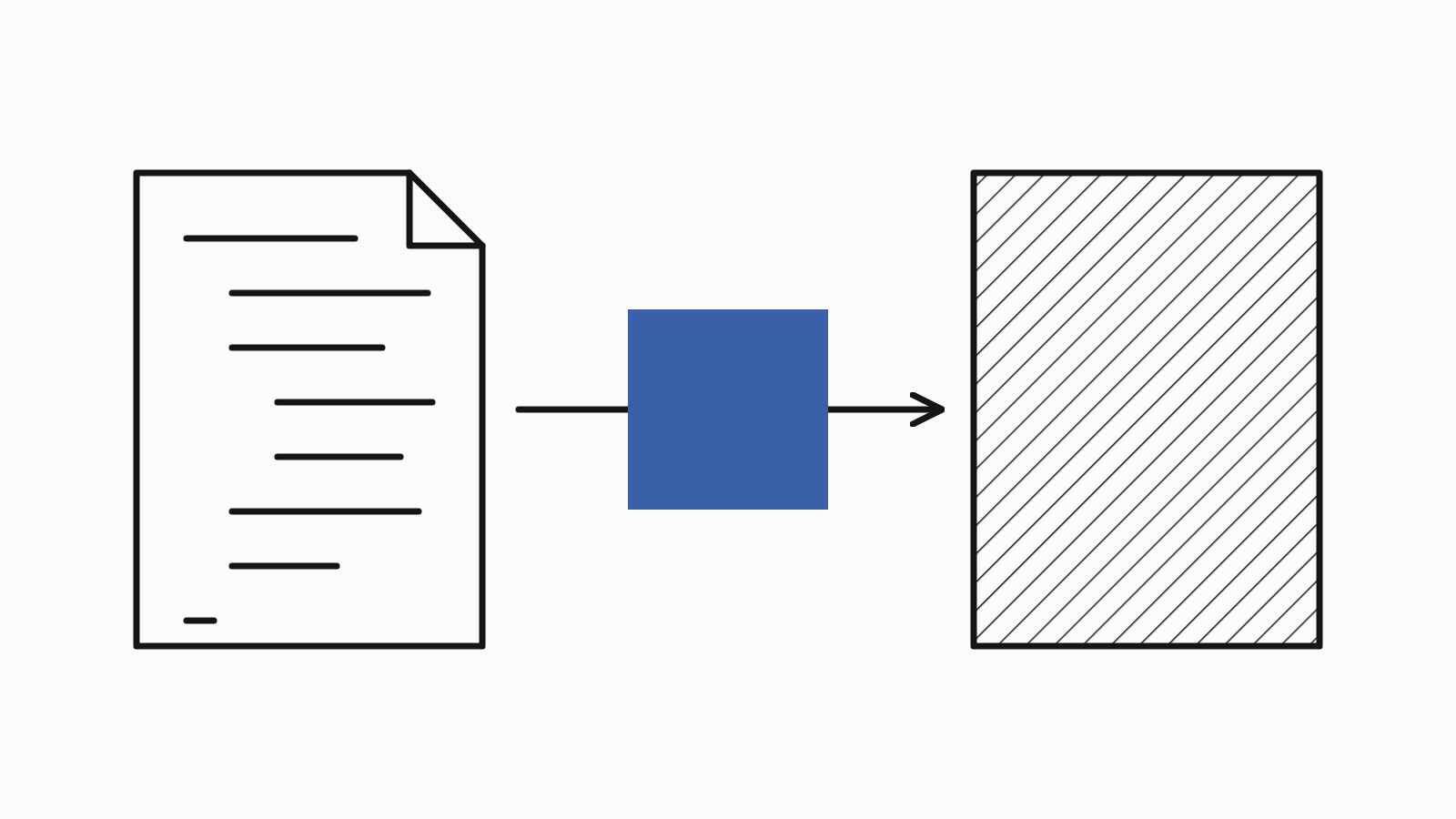
To compile C++ with GCC, run g++ main.cpp -o main, then start the program with ./main (main.exe on Windows). Use the g++ command rather than gcc, because g++ links the C++ standard library for you. Add -std=c++20 to choose the language standard and -Wall -Wextra to have GCC warn about questionable code.
Save this as main.cpp:
#include <iostream>

int main() {
    std::cout << "Hello, GCC!\n";
}
— end example]
Compile it, then run it:
g++ main.cpp -o main
./main
— end example]
The program printed Hello, GCC!. The samples on this page are C++17 (one needs C++20), built with GCC 16.2 on Linux, through Compiler Explorer, and also with MSVC 19.44, Clang 19.1 (MSVC STL) and Clang 23.1 (libc++); the messages shown are GCC’s. Since When lists the compiler releases for each standard, and Toolchain lists GCC with the other compilers.
g++ or gcc: which command compiles C++?
Use g++. Both commands run GCC; for a .cpp file they differ only at the link, the step that joins your compiled code with the libraries it uses into one program. GCC’s manual says g++ “is a program that calls GCC and automatically specifies linking against the C++ library”.
gcc main.cpp still compiles the file as C++, because of its .cpp extension, but does not add that library, so the link fails. With GCC 16.2’s gcc, building the program above stopped at undefined reference to `std:: and ended with collect2: error: ld returned 1 exit status (ld is the linker). Adding -lstdc++, which links libstdc++, GCC’s C++ standard library, made it build; g++ does that for you.
How do you choose the C++ standard?
Pass -std= with the standard’s name: -std=c++17, -std=c++20 or -std=c++23. Without it, GCC uses a default that depends on the release: GCC 11 to 15 use gnu++17, and GCC 16 “changes the default language version for C++ compilation from -std=gnu++17 to -std=gnu++20” (gnu++20 is the GNU dialect of C++20). Name the standard yourself, so every machine builds the same language.
This program uses std::format, which C++20 added:
#include <format>
#include <iostream>
#include <string>

int main() {
    std::string name = "GCC";
    std::cout << std::format("Hello, {}!\n", name);  // C++20
}
— end example]
With -std=c++17, GCC 16.2 refused it:
02-standard.cpp: In function 'int main()':
02-standard.cpp:8:23: error: 'format' is not a member of 'std'
    8 |     std::cout << std::format("Hello, {}!\n", name);  // C++20
      |                       ^~~~~~
02-standard.cpp:8:23: note: 'std::format' is only available from C++20 onwards
— end example]
With -std=c++20 it built and printed Hello, GCC!. std::format also needs GCC 13 or newer.
Which GCC flags does a beginner need?
These ten GCC compiler flags, also called options or switches, are the ones a beginner meets first. What each does, in the terms of GCC’s manual:
| Flag | What it does |
|---|---|
-o name |
names the output file; without it, the program is a.out (a.exe on Windows) |
-std=c++20 |
compiles as that standard |
-Wall |
warns about code “some users consider questionable” that is easy to avoid; not every warning |
-Wextra |
adds some of the warnings -Wall leaves out |
-O2 |
optimizes: “nearly all supported optimizations that do not involve a space-speed tradeoff” (the default is -O0) |
-g |
adds debugging information that GDB, the debugger, can use |
-c |
compiles without linking: one object file per source |
-I dir |
adds a folder to search for headers |
-L dir |
adds a folder to search for the libraries named with -l |
-lname |
links the library name; put it after the files that use it |
Warnings point at mistakes that still compile. This program has two:
#include <iostream>
#include <string>
#include <vector>

int main() {
    std::vector<std::string> names{"Ada", "Linus"};
    int greeted = 0;  // declared, never used
    for (int i = 0; i < names.size(); ++i) {  // int against unsigned
        std::cout << "Hello, " << names[i] << "!\n";
    }
}
— end example]
Built with -std=c++17 alone, GCC 16.2 printed nothing, and the program greeted both names. With -Wall -Wextra added, it printed:
03-warnings.cpp: In function 'int main()':
03-warnings.cpp:10:23: warning: comparison of integer expressions of different signedness: 'int' and 'std::vector<std::__cxx11::basic_string<char> >::size_type' {aka 'long unsigned int'} [-Wsign-compare]
   10 |     for (int i = 0; i < names.size(); ++i) {  // int against unsigned
      |                     ~~^~~~~~~~~~~~~~
03-warnings.cpp:9:9: warning: unused variable 'greeted' [-Wunused-variable]
    9 |     int greeted = 0;  // declared, never used
      |         ^~~~~~~
— end example]
The program still built and ran: a warning does not stop the build, so read each one.
How do you compile several .cpp files?
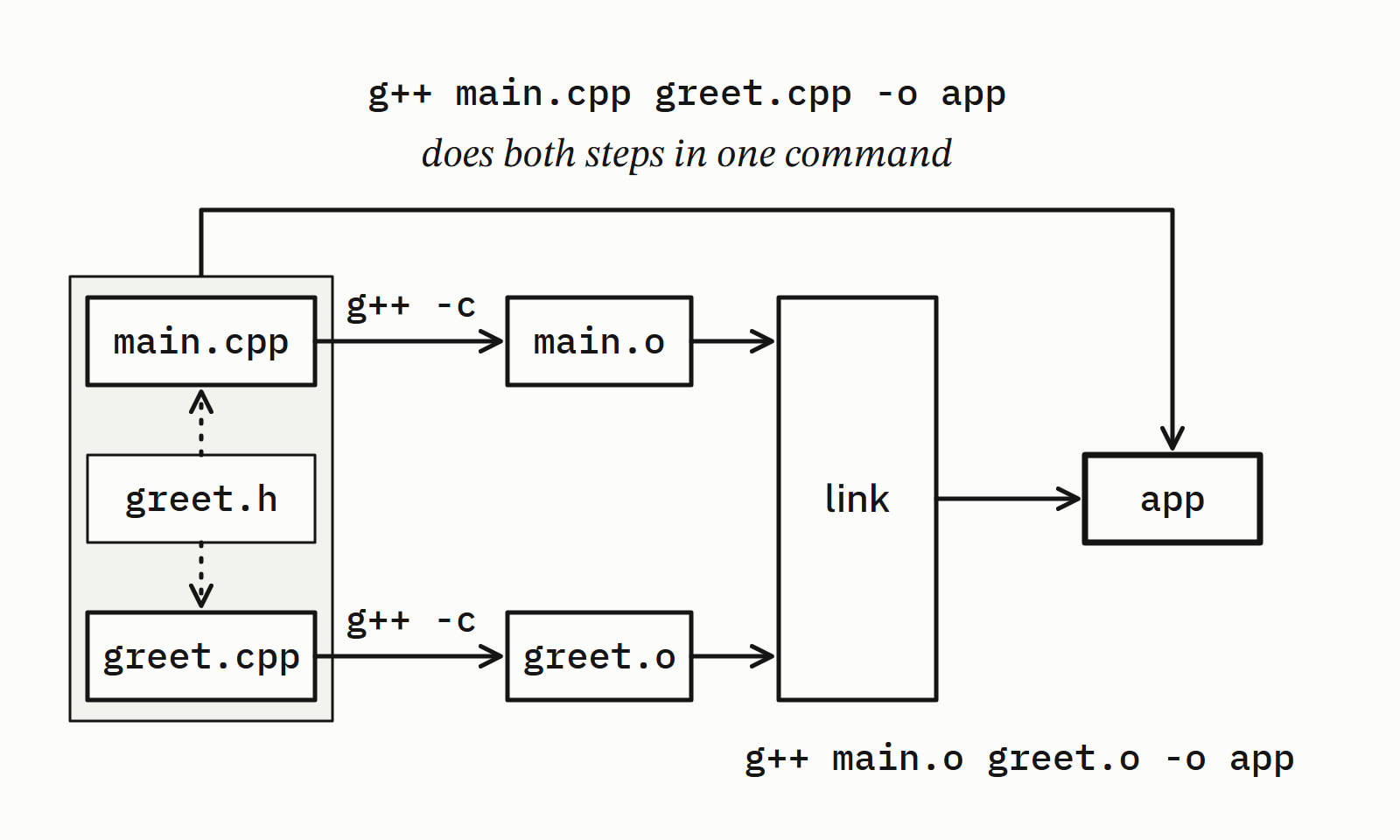
Name every source file in one command, and g++ compiles each one and links them into one program. In the running example, main.cpp calls greet(), which the header file greet.h declares and greet.cpp defines:
# compile and link in one command
g++ main.cpp greet.cpp -o app
# or in two steps: an object file per source, then the link
g++ -c main.cpp
g++ -c greet.cpp
g++ main.o greet.o -o app
— end example]
The one command built a program that printed Hello from greet.cpp!. The two steps follow GCC’s manual: -c stops before the link and leaves an object file (.o), one source file’s compiled code, and the link “combines all the object files” into the program. What a compiler does explains object files and the linker.
Leave a file out and the link fails. Built without greet.cpp, GCC 16.2 printed this after a line with the linker’s path (example.cpp is Compiler Explorer’s name for main.cpp):
example.cpp:(.text+0x5): undefined reference to `greet()'
collect2: error: ld returned 1 exit status
— end example]
The header declared greet(), so main.cpp compiled, but no linked file defined it. For more than a handful of files, use a build system such as CMake instead of typing the commands.
How do you install GCC?
On Windows, install GCC through MSYS2, and on Ubuntu with apt-get; then check it with g++ --version. These commands come from VS Code’s setup guides:
# Windows: run the MSYS2 installer, then, in MSYS2
pacman -S --needed base-devel mingw-w64-ucrt-x86_64-toolchain
# Ubuntu: update the package lists, then install
sudo apt-get update
sudo apt-get install build-essential gdb
# macOS: Apple's command line developer tools
xcode-select --install
# then, on any of them
g++ --version
— end example]
- Windows: add
C:\msys64\ucrt64\bin, the default install’s folder, to PATH, then rung++ --versionin a new Command Prompt (Using GCC with MinGW). - Ubuntu: the second command installs the compiler and the GDB debugger (Using C++ on Linux in VS Code).
- macOS: Apple’s tools “include Clang”, in the words of VS Code’s macOS guide.
g++ --versionshows which compiler yourg++runs, and the messages on this page came from GCC 16.2; Clang vs GCC covers where the two compilers differ.
What do the common GCC errors mean?
Most first errors are one of three, and each comes from a different step: the link, the compile, or the shell before GCC runs. The link and compile messages are GCC’s; command not found and is not recognized are the shell’s:
| Message | Cause | Fix |
|---|---|---|
undefined reference to `greet()' |
the link: a source file or library was not linked, or gcc built C++ (then it names `std::cout') |
name every .cpp file, put -lname after them, use g++ |
fatal error: greet.h: No such file or directory, then compilation terminated. |
the compile: the header is not in the folders GCC searches | fix the path, or add the folder: -Iinclude found include/greet.h |
command not found or is not recognized |
the shell: GCC is not installed, or its folder is not on PATH | install it, add its bin folder to PATH, open a new terminal |
The commands at a glance
| You want | Command |
|---|---|
| One file | g++ main.cpp -o main |
| A standard and warnings | g++ -std=c++20 -Wall -Wextra main.cpp -o main |
| An optimized build | g++ -O2 main.cpp -o main |
| A build for the debugger | g++ -g main.cpp -o main |
| Two files | g++ main.cpp greet.cpp -o app |
| Compile only, then link | g++ -c main.cpp greet.cpp, then g++ main.o greet.o -o app |
| A C program | gcc main.c -o main |
Tooling has more on compilers, build systems and the tools around them.
Questions
What is the difference between gcc and g++?
Both run GCC, the GNU Compiler Collection. g++ is the command for C++: in the manual’s words it “calls GCC and automatically specifies linking against the C++ library”. gcc also compiles a .cpp file as C++ but does not add that library, so a program that uses std::cout fails to link, with an undefined reference to std::cout.
What C++ standard does GCC use by default?
It depends on the release. With no -std flag, GCC 16 compiles as gnu++20, the GNU dialect of C++20, and GCC 11 to 15 compile as gnu++17. Pass -std=c++17, -std=c++20 or -std=c++23 to choose the standard yourself, so every machine builds the same language.
What is a.out?
a.out is the name GCC gives the program when you do not pass -o: in the words of GCC’s manual, “the default is to put an executable file in a.out”. On Windows the linker names it a.exe instead. Pass -o and a name, as in g++ main.cpp -o main, to choose the name yourself.
How do you compile a C program with gcc?
Run gcc main.c -o main, then start the program with ./main. gcc compiles a file ending in .c as C. For a .cpp file, use g++, which links the C++ standard library.
Why does GCC say “undefined reference”?
The linker found a function or variable that the code uses and no linked file defines. The usual causes are a .cpp file left out of the command, a library without its -l option or placed before the files that use it, and gcc used for C++, which leaves out the C++ standard library. Name every source file, put -lname after them, and use g++.
Sources
- Invoking G++GCC manual
- Options Controlling the Kind of OutputGCC manual
- Options Controlling C DialectGCC manual
- Options to Request or Suppress WarningsGCC manual
- Options for LinkingGCC manual
- GCC 16 Release Series: Changes, New Features, and FixesGCC
- Using GCC with MinGWVisual Studio Code documentation
- Using C++ on Linux in VS CodeVisual Studio Code documentation