Standard Library[lib]
std::accumulate in C++: sum a vector, with examples

- Section
- Standard Library [lib]
- Standard
- C++17
- Compilers
- MSVC 19.44, Clang 19.1 (MSVC STL), GCC 16.2, Clang 23.1 (libc++)
- Published
- Length
- 7 min read
In this answer6 clauses
- 1Why does std::accumulate give the wrong sum for doubles?
- 2How do you use std::accumulate with a lambda?
- 3What does std::accumulate return for an empty range?
- 4What is the difference between std::accumulate and std::reduce?
- 5Is there a std::ranges::accumulate?
- 6Should you use std::accumulate or a for loop?
Abstract
std::accumulate, from <numeric>, adds the elements of a range to a starting value, left to right, and returns the total. The total has the starting value's type, so summing doubles from 0 drops their fractions: start from 0.0. A fourth argument, often a lambda, replaces the addition; std::reduce may reorder the elements, and C++23's std:: takes the whole range.
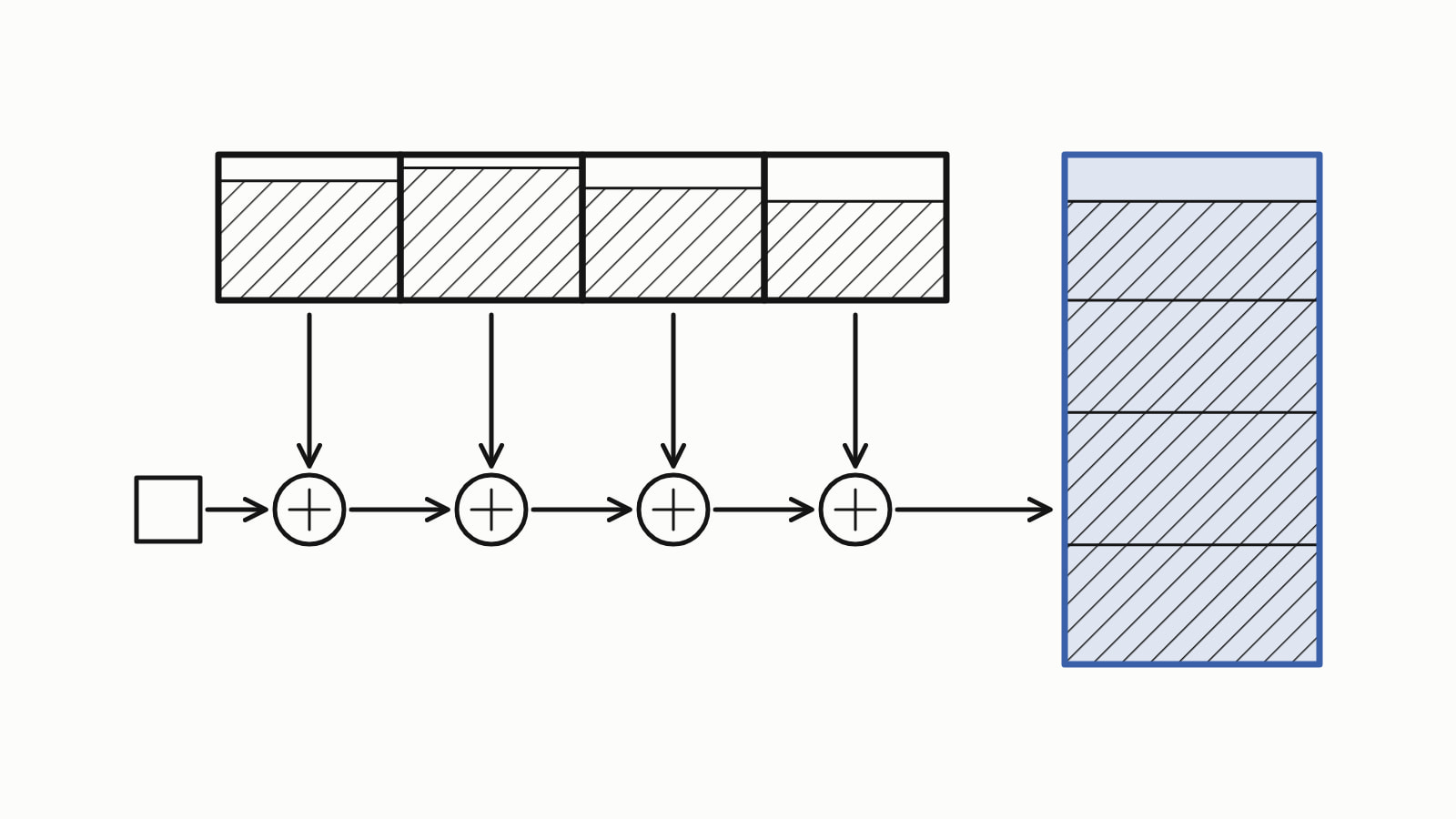
std::accumulate adds up the elements of a range: std::, from the header <numeric>, returns the sum of a vector of int. The third argument is the starting value, and its type is the type of the result, so pass 0.0 for doubles. A fourth argument replaces + with your own operation.
A std::vector of test scores, summed and then averaged, as a whole program:
#include <iostream>
#include <numeric>
#include <vector>

int main() {
    std::vector<int> scores{82, 91, 77, 68};

    int total = std::accumulate(scores.begin(), scores.end(), 0);
    double average = static_cast<double>(total) / scores.size();

    std::cout << "total " << total << '\n';
    std::cout << "average " << average << '\n';
}
— end example]
It printed:
total 318
average 79.5
— end example]
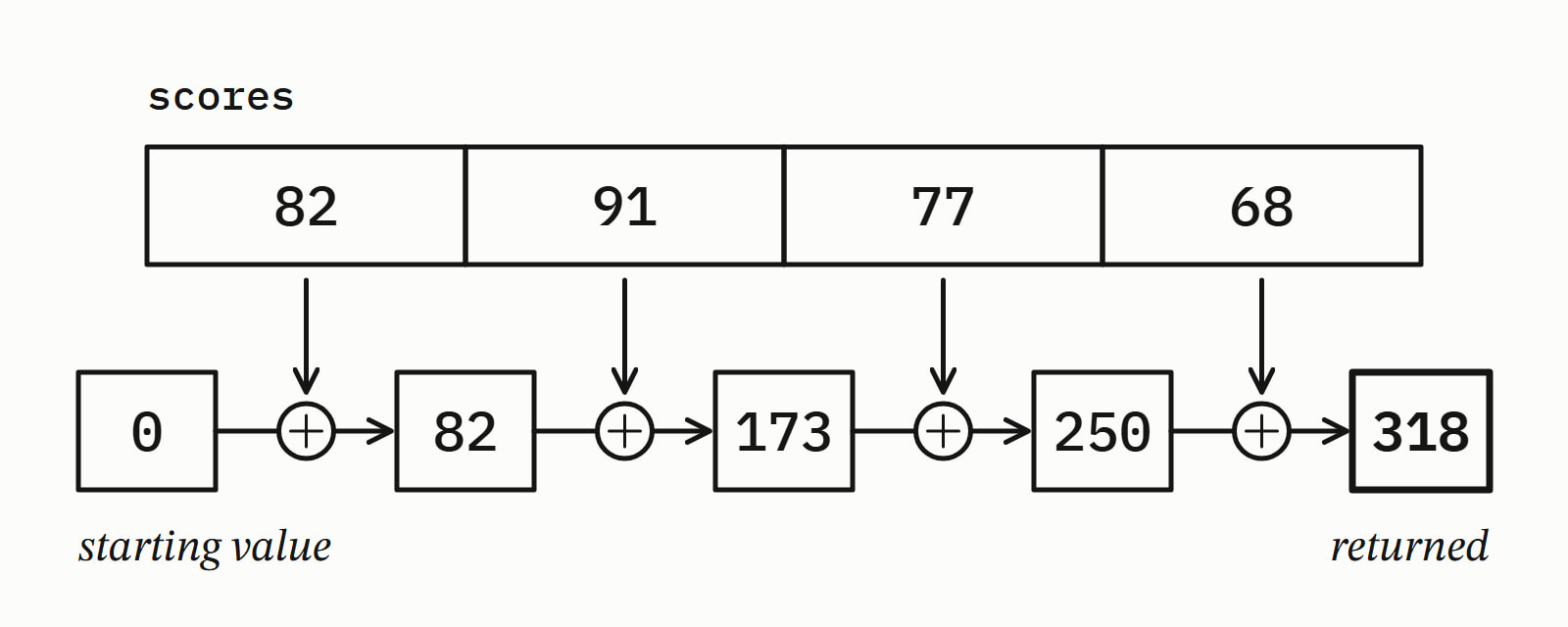
scores.begin() and scores.end() are iterators, positions that mark the first score and one past the last, and std::accumulate reads every element between them. It starts from the 0 you passed and adds one score at a time:
The answer is written for C++17 (Since When’s C++17 table). The samples were built with MSVC 19.44, Clang 19.1 (MSVC STL), GCC 16.2 and Clang 23.1 (libc++), as C++23 where a line says so, and all four printed the same unless a section says otherwise.
Why does std::accumulate give the wrong sum for doubles?
Because the result has the type of the starting value, not of the elements. 0 is an int, so std::accumulate keeps its running total in an int, and each partial sum loses its fraction as it is stored back. Start from 0.0 and the total is a double:
std::vector<double> prices{1.5, 2.25, 3.75};

auto wrong = std::accumulate(prices.begin(), prices.end(), 0);
auto right = std::accumulate(prices.begin(), prices.end(), 0.0);

std::cout << wrong << '\n';   // 6: an int, the fractions lost
std::cout << right << '\n';   // 7.5: a double
— end example]
All four printed 6 for the sum from 0 and 7.5 for the sum from 0.0. Do not count on a warning: of the four, only MSVC warned at /W4, and its warning pointed into its own <numeric> header, with your line only in a note under it; GCC and Clang said nothing with -Wall -Wextra or with -Wconversion.
Large whole numbers fall into the same trap: two long long values, 3,000,000,000 and 2,000,000,000, summed from 0 gave 705032704 on all four instead of 5000000000, which a starting value of 0LL, a long long zero, gets right.
How do you use std::accumulate with a lambda?
Pass the lambda as the fourth argument: std::accumulate calls it with the running total and the next element, and what it returns becomes the new total. A lambda, a function written in place, can add up one field of a struct, here the price of each item in a cart:
struct Item {
    std::string name;
    double price;
};
// ...
std::vector<Item> cart{{"pen", 1.5}, {"notebook", 2.25},
                       {"stapler", 3.75}};

double total = std::accumulate(
    cart.begin(), cart.end(), 0.0,
    [](double sum, const Item& i) { return sum + i.price; });
std::cout << total << '\n';   // 7.5
— end example]
All four printed 7.5.
A function object from <functional> works the same way. For a product, pass std::multiplies<>() and start from 1, since a 0 would make every product 0: std:: over the numbers 1 to 5 gave 120.
The operation need not be arithmetic. To join names with a comma between them, start from the first name, names[0], and add the rest:
std::vector<std::string> names{"pen", "notebook", "stapler"};

auto join = [](const std::string& line, const std::string& name) {
    return line + ", " + name;
};
std::string line;
if (!names.empty())   // names[0] needs one element
    line = std::accumulate(std::next(names.begin()), names.end(),
                           names[0], join);
std::cout << line << '\n';   // pen, notebook, stapler
— end example]
All four printed pen, notebook, stapler, in the vector’s order, because std::accumulate always works from the first element to the last.
What does std::accumulate return for an empty range?
The starting value, unchanged: with no elements there is nothing to add. Over an empty std::vector<int>, std:: returned 0, and the same call with 42 as the starting value returned 42, on all four compilers.
That is why the starting value is required: the standard notes that it avoids having to define the result for an empty sequence. An empty vector is not an error for std::accumulate, but it has no average: check empty() before dividing by size().
What is the difference between std::accumulate and std::reduce?
std::accumulate works left to right, one element at a time, so its operation may depend on the order. std::reduce, since C++17 and also in <numeric>, may group and reorder the elements, which is what lets it run in parallel. Its result is unpredictable for an operation that is not both associative and commutative (where regrouping or swapping the operands can change the answer), and cppreference counts floating-point addition among those.
Subtraction depends on the order. The same scores, summed and then subtracted both ways:
std::vector<int> scores{82, 91, 77, 68};

int a = std::accumulate(scores.begin(), scores.end(), 0);
int r = std::reduce(scores.begin(), scores.end());  // from int{}
std::cout << a << ' ' << r << '\n';   // 318 318
// ...
int a_minus = std::accumulate(scores.begin(), scores.end(), 0,
                              std::minus<>());
int r_minus = std::reduce(scores.begin(), scores.end(), 0,
                          std::minus<>());
std::cout << a_minus << ' ' << r_minus << '\n';
— end example]
With GCC 16.2 and its library, libstdc++, it printed:
318 318
-318 18
— end example]
MSVC’s library and libc++ printed -318 -318. The sums agreed on all four; the subtraction gave a different answer on one of the four builds, with no execution policy involved. That is what an unspecified order means: the standard leaves the grouping to the library. std::reduce also takes an execution policy such as std::execution::par, from <execution>, as its first argument; with libc++, Clang’s own library, that compiled only with the -fexperimental-library switch.
| Property | std::accumulate |
std::reduce |
|---|---|---|
| Order | left to right, one at a time | unspecified: may regroup and reorder |
| Starting value | required | optional: the element type’s {}, 0 for int |
| Execution policy | none | optional first argument |
| Predictable result for | any operation, including subtraction | associative and commutative operations, such as + on int |
Is there a std::ranges::accumulate?
No: the ranges library has no accumulate, in C++20 or since. C++23 added std:: in <algorithm>, which takes the range itself and whose result type comes from the operation, not from the starting value:
std::vector<double> prices{1.5, 2.25, 3.75};

auto a = std::ranges::fold_left(prices, 0, std::plus<>());  // C++23
auto b = std::ranges::fold_left(prices, 0.0, std::plus<>());
std::cout << a << ' ' << b << '\n';   // 7.5 7.5
— end example]
As C++23, all four printed 7.5 7.5: the result has the type of 0 + 1.5, a double, so the 0 trap does not bite. The operation has no default, so pass std::plus<>() even for a sum. On MSVC 19.44, C++23 is the /std:c++23preview switch. fold_left is in libstdc++ since GCC 13, in libc++ since LLVM 18, and in Microsoft’s library since Visual Studio 2022 version 17.5.
Should you use std::accumulate or a for loop?
Either: both give 318. std::accumulate is one expression that returns the total, so the total can be const:
int sum = 0;
for (int s : scores) sum += s;

const int total = std::accumulate(scores.begin(), scores.end(), 0);
— end example]
std::accumulate takes the same pair of iterators as std::sort and std::find, which live in <algorithm>; the rest of the library is in Standard library. Which to write:
| You want | Write |
|---|---|
The sum of ints |
std:: |
The sum of doubles |
std:: |
The sum of large long longs |
a starting value of 0LL |
| A product | a starting value of 1 and std::multiplies<>() |
| A field of a struct, or joined strings | a lambda as the fourth argument |
| An operation where order does not matter | std::reduce, optionally in parallel |
| The whole range as one argument, in C++23 | std:: |
Questions
Which header is std::accumulate in?
std::accumulate is in <numeric>, not in <algorithm> with most of the standard algorithms. std::reduce is in <numeric> too, while C++23's std:: is in <algorithm>.
Does std::accumulate work on an array or a std::array?
Yes. It takes any pair of input iterators, so pass std::begin(a) and std::end(a) for a built-in array, or a.begin() and a.end() for a std::array. In the samples, both summed the scores to 318.
How do you sum a vector in C++?
Include <numeric> and call std::accumulate(v.begin(), v.end(), 0) for a vector of int, or std::accumulate(v.begin(), v.end(), 0.0) for a vector of double. The result has the type of the starting value, so a 0 on doubles drops the fractions. A range-based for loop that adds each element to a total gives the same result.
How do you get the average of a vector in C++?
Sum it with std::accumulate, then divide by size() in floating point: static_cast<double>(total) / scores.size() gave 79.5 for the scores 82, 91, 77 and 68. Check empty() first, because an empty vector has a size of 0 and no average.
Is std::accumulate constexpr?
Since C++20, yes: both overloads are constexpr, so std::accumulate can run inside a static_assert or initialize a constexpr variable. Built as C++17, a static_assert on it was rejected by all four compilers the samples were built with; built as C++20, all four accepted it.
What is the difference between std::accumulate and std::reduce?
std::accumulate applies its operation left to right, one element at a time, and needs a starting value. std::reduce, since C++17, may group and reorder the elements so that it can run in parallel, which makes its result unpredictable for an operation that depends on the order, such as subtraction.
Sources
- std::accumulatecppreference.com
- [accumulate] AccumulateC++ standard working draft
- std::reducecppreference.com
- [reduce] ReduceC++ standard working draft
- std::ranges::fold_leftcppreference.com
- C++23’s New Fold AlgorithmsMicrosoft C++ Team Blog