Performance[perf]
What's GCC? A Plain-English Guide to the Compiler

- Section
- Performance [perf]
- Published
- Length
- 9 min read
In this answer6 clauses
- 1What Is GCC and Where It Began
- 1.1What the GCC name stands for
- 1.2GCC’s place in GNU and Linux
- 1.3When GCC was first released
- 1.4Is GCC for C or C++?
- 2How GCC Turns Source Code into Programs
- 2.1Compiling your first hello world program
- 2.2Reading and checking your code first
- 2.3Optimizing code in the middle end
- 2.4Producing CPU-specific machine code with RTL
- 3Free Licensing and Where GCC Runs
- 3.1Why GCC is free under the GPL
- 3.2Operating systems that run GCC
- 4How to Install and Check GCC
- 4.1Installing GCC on macOS
- 4.2Getting GCC on Windows with Cygwin
- 4.3Getting GCC files and support
- 5Which C Standards Each GCC Version Supports
- 5.1Choosing a C standard with flags
- 5.2Default standard for each GCC version
- 5.3New C23 features like nullptr and #embed
- 5.4Main C11 features such as atomics
- 5.5Where GCC stands on C99 features
- 5.6Telling library and compiler support apart
- 6References
Abstract
GCC, or GNU Compiler Collection, is a free compiler suite that turns C and C++ source code into machine code a computer can run. Use `gcc` for C and `g++` for C++, and choose the language standard and optimization level explicitly when your build depends on them. GCC targets different processors, so the right build settings and attention to compiler warnings help keep programs portable, easier to debug, and suited to their target.

Think of a translator who turns a recipe written in one language into steps a kitchen crew can actually follow. Your source code is written for people, but your processor only runs machine code.
GCC, short for GNU Compiler Collection, is a free compiler suite that does that translation for C and C++.
In this guide, you’ll learn where it came from, how gcc differs from g++, how to install and check it, and how to pick a standard and optimization level and read what it prints.
What Is GCC and Where It Began
If you’ve typed gcc or g++ without asking what they are, this section gives you the short history and the practical answer. You’ll see where the name comes from, where the compiler fits, and which command to run.
What the GCC name stands for
GCC is short for GNU Compiler Collection. Its name also records its history and its makers:
- Originally GNU C Compiler: the project’s first name, from when it first handled C.
- Compiler for multiple languages: the collection covers more than one language, not just C.
- Produced by GNU Project: the GNU Project is the team behind it.
GCC’s place in GNU and Linux
GCC is a key part of the GNU toolchain, the set of tools that turns your source code into a running program. It’s also the standard compiler for Linux projects, and it’s the compiler used to build the Linux kernel.
You’ll also hear about Clang/LLVM, a separate compiler project, so it’s fair to ask which is better, GCC or LLVM? Neither wins every case.
Both compile standard C++, so the better fit depends on your target platform, your build system, and the warnings your team relies on. Try both on your own code before you commit. If LLVM is new to you, learn what the LLVM compiler is first.
When GCC was first released
According to a TU Delft research paper on porting GCC, GCC was first released in 1987. That first version supported the C language and was originally named GNU C Compiler, so its C roots still show in the command you type: gcc.
Is GCC for C or C++?
It’s for both, and the command you run decides which language you’re compiling. The gcc command compiles C. For C++, use g++, and use it for linking as well.
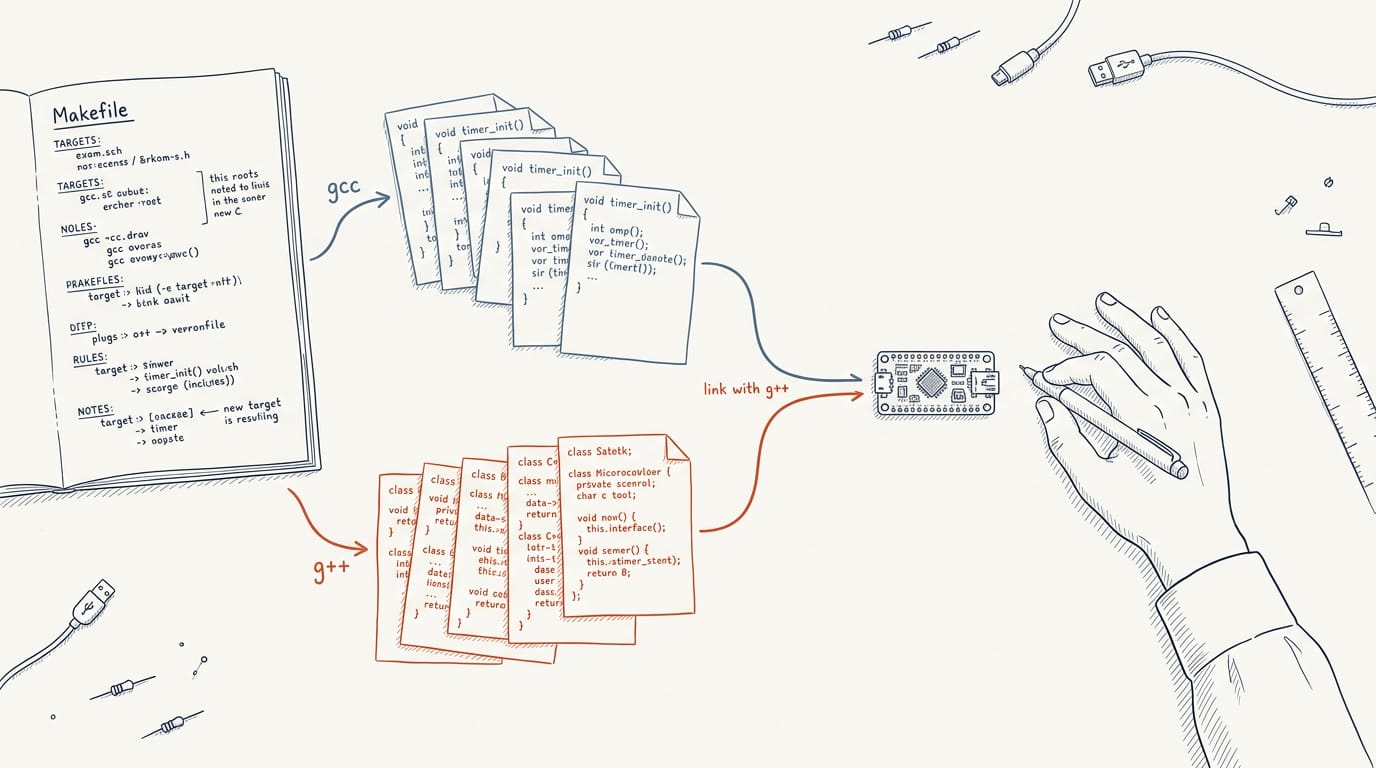
Since GCC is a collection of compilers, gcc and g++ are two entry points into one family, not two separate products. Consider a firmware developer who inherits a Makefile that mixes .c and .cpp files.
Compile the C files with gcc, compile the C++ files with g++, and link the final binary with g++. The build reads clearly, and nobody has to guess which driver to trust at link time. Match the command to the language.
How GCC Turns Source Code into Programs
What happens between typing gcc main.c and running the result? GCC doesn’t leap straight there. It passes your code through a chain of stages, each rewriting it closer to what the CPU understands.
Compiling your first hello world program
Save this smallest program as main.c:
#include <stdio.h>

int main(void) {
    printf("Hello, world!\n");
    return 0;
}
— end example]
The .c extension tells GCC this is C source. Run gcc main.c and you’ll get an executable named a.out on Linux, started with ./a.out.
Reading and checking your code first
The front end is the language-specific step, with its own grammar for C or C++. It parses your text, so a missing semicolon stops the build with a line number. It also checks meaning, catching an undeclared variable.
Valid code becomes an abstract syntax tree (AST), where each node is one construct, like a function or an addition. The front end then lowers that tree into a generic form that every language shares.
Optimizing code in the middle end
The middle end works on GIMPLE, a simplified form where each statement is a tuple holding one operation.
Complex expressions get split into temporaries, compiler-made variables that hold intermediate results, so x = a * b + c; becomes a multiply into a temporary, then an add.
GCC then applies Static Single Assignment (SSA) form, which gives each variable exactly one assignment. A reassigned x becomes x_1, then x_2, so the optimizer can trace every value back to its source.
Then the optimizer gets to work. It changes how code runs without changing what it computes, and the -O flag sets the effort:
-O0: no optimization. It’s the default, the fastest to compile, and the easiest to step through in a debugger.-O1: a first set of optimizations.-O2: a broader set, common for release builds.-O3: the most aggressive set.
Producing CPU-specific machine code with RTL
The back end converts optimized code into Register Transfer Language (RTL), a low-level form that describes operations on registers and memory. RTL is hardware-dependent: it names the target CPU’s registers and instructions.
From RTL, GCC emits machine code, and that code differs by CPU. The same main.c built for an x86-64 laptop and for an ARM board yields different instructions, so you can’t run one binary on both.
Consider an embedded firmware developer whose board uses an ARM chip. They build with a cross compiler and add -S, which stops after code generation and writes main.s as readable assembly.
They check those instructions before flashing the board, so a surprise shows up at the desk instead of in the field. No guesswork.
Free Licensing and Where GCC Runs
Before you pick a compiler for a project, you’ll want to know what it costs, who stands behind it, and where it runs. The short answer: GCC costs nothing, and it runs on the machines you already use.
Why GCC is free under the GPL
Here’s what makes it free:
- Distributed by the FSF. The Free Software Foundation (FSF) distributes GCC.
- Its license. GCC is released under the GNU General Public License (GPL), so the license itself adds no cost to your build.
- Available to all users. The compiler is open to everyone, not just teams with a purchase budget.
Think of an embedded firmware developer at a small hardware startup. She installs GCC on her laptop, the build server, and every teammate’s machine, so everyone builds with the same compiler.
Nobody has to approve a license fee before the first build runs.

Operating systems that run GCC
Free doesn’t help much if it won’t run on your machine, so here’s where GCC works:
- Linux
- Mac
- PC
A Mac laptop and a Linux build server can both run it, so you can keep them in step. Same compiler, whichever desk you work from.
How to Install and Check GCC
Before you compile anything, you need GCC installed and a way to confirm its version. Pick your platform, then run gcc --version.
Installing GCC on macOS
- Open the Terminal app.
- Run
gccto test it. - If you’re asked to install the command line tools, do it, then run
gccagain. - A message saying there are no input files means GCC is installed and waiting for code.
Picture a developer with a new laptop who needs to build a legacy C++ project by Friday. A quick check in Terminal shows whether the toolchain is ready before the gap surfaces halfway through a build.
Getting GCC on Windows with Cygwin
To get GCC on Windows, install Cygwin, a Unix-style environment with the tools to build with it.
- Download the Cygwin setup program and run it.
- On the package screen, select gcc-core, gcc-g++, gdb (the debugger), and make.
- Finish the install, open the Cygwin terminal, and run
gcc --version.
The version line shows which compiler you have, not just that one is installed. Consider a firmware developer on a Windows workstation who needs the same build tools as her teammates.
With gdb and make in place, she reproduces a crash in the debugger herself. No waiting on a colleague.
Getting GCC files and support
- Files on the GCC website. The official site is the place to get GCC files straight from the source.
- Campus engineering support. On a school or company machine, ask campus engineering support before you install anything. They can tell you what’s already available.
Which C Standards Each GCC Version Supports
GCC picks a C standard when you don’t ask, and that default changes between releases. Here’s how to pin yours and what each version uses, so we don’t have to guess.
Choosing a C standard with flags
Pass -std= to pick a standard and its variant:
- Strict ISO mode:
-std=c23,-std=c17, or-std=c11. ISO (International Organization for Standardization) publishes the C standard. - GNU variants:
-std=gnu23,-std=gnu17, or-std=gnu11keep the standard and leave GNU extensions (GCC’s additions beyond it) on. - Strict C99:
-std=c99 -pedantic-errorsturns pedantic warnings into errors.
The C++ flags work the same way: -std=c++20 and -std=gnu++20. Choose strict for portability and GNU when your code already uses GCC’s additions.
A build engineer who adds -std=c99 -pedantic-errors to one job catches GNU-only code in review, long before it reaches a customer’s build.
Default standard for each GCC version
Without a -std flag, GCC uses a default that moves between releases. According to a C17 explainer from Quantaweave Collective, GCC 8 through 14 default to C17. SUSE’s GCC 15 documentation says GCC 15 defaults to C23 with GNU extensions.
C2y, the next revision, is selectable but isn’t the default.
Consider a library maintainer whose build jobs run GCC 13 and GCC 15 with no flag. The same code can build on one and break on the other. Pin -std=gnu17 and both jobs agree.
Check the default C++ standard for each version too, and pin -std=c++20 when your build depends on it.

New C23 features like nullptr and #embed
These need -std=c23 or -std=gnu23:
- New keywords:
constexpr,nullptr, andtypeofare now keywords, so rename any identifier with those names first. [[]]attributes: standard syntax, such as[[nodiscard]], in place of compiler-specific spellings._BitInt: bit-precise integers of a width you choose, such as_BitInt(24).#embed: pulls a file’s bytes straight into an initializer, so a firmware developer can drop a build step that generates a byte array.- Trigraph removal: C23 drops trigraphs, so
??=is no longer read as#.
Main C11 features such as atomics
C11 added threading and alignment support. The ones you’ll meet most:
- Atomics:
_Atomicand<stdatomic.h>share counters and flags across threads. - Thread-local storage:
_Thread_localgives each thread its own copy of a variable. _Generic: picks an expression by argument type at compile time._Static_assert: fails the build when a compile-time condition is false.- Alignment support:
_Alignassets how a variable is placed in memory.
GCC doesn’t implement the optional Annex K, the bounds-checked functions whose names end in _s. Because the standard makes it optional, write a portable wrapper instead.
Where GCC stands on C99 features
According to a Czech paper on Code Listener, GCC has substantially supported C99 since GCC 4.5. Substantial isn’t complete.
- Designated initializers:
{ .x = 1 }sets a field by name. - Compound literals:
(struct point){ 1, 2 }builds an unnamed object in place. - Inline functions: the
inlinekeyword, which follows C’s linkage rules, not C++‘s. - Variable length arrays:
int buf[n];sizes an array at run time. - Standard pragmas: GCC doesn’t implement the standard
STDCpragmas, so don’t rely on them for floating-point behavior.
Telling library and compiler support apart
A feature can compile yet fail to link, because the C library supplies some functions.
- Library features need glibc:
aligned_alloccomes from the C library, usually glibc (the GNU C library) on Linux. - Version column meanings: in a feature table, the version column is the GCC release where support arrived. Compare it with the release you build with.
- Format checking support:
-Wformat, which-Wallenables, checksprintfstrings at compile time, separate from whether a function exists.
Pin the standard, check the library, then trust the build.
You now know what GCC stands for, where it came from, and how gcc and g++ divide the work. Install it, check the version, then pick a standard and an optimization level on purpose.
Read the output too. Warnings and errors show you what the compiler understood, and that’s the fastest route to cleaner code.
Treat the compiler as a partner, not a black box. Give it a clear target and listen to what it says, and your builds will keep telling you the truth.
References
- Porting GCC to a Clustered VLIW Processor — resolver.tudelft.nl (2013)
- Rozšíření infrastruktury Code Listener o podporu C++ — hdl.handle.net (2014)
- What Is C17 and What Changes Have Been Made to the Language? ◆ Quantaweave Collective — alledaags.nl (2026)
- Advanced Optimization and New Capabilities of GCC 15 — documentation.suse.com (2026)
Questions
What is GCC in C coding?
GCC is a free compiler suite that translates C source code into machine code a processor can run. The `gcc` command is its C compiler entry point; GCC also includes tools for other languages, including C++.
What does GCC stand for?
GCC stands for GNU Compiler Collection. It was originally called GNU C Compiler when it supported only C.
Which is better, GCC or llvm?
Neither GCC nor LLVM is universally better. Both can compile standard C++, and the right choice depends on your target platform, build system, and the warnings your team relies on, so compare them using your own code.
Sources
- Porting GCC to a Clustered VLIW Processorresolver.tudelft.nl,
- Advanced Optimization and New Capabilities of GCC 15 | SUSE Linux Enterprise Server 16.0documentation.suse.com,
- What Is C17 and What Changes Have Been Made to the Language? ◆ Quantaweave Collectivealledaags.nl,
- Rozšíření infrastruktury Code Listener o podporu C++hdl.handle.net,